
March 3rd, 2026
Custom project statuses
Customer project statuses now live in Pike.To configure these, go to: Workspace settings -> Project statusesCreate your custom statuses in the pre-defined, non editable status categories (backlog, planned, in progress, completed and cancelled).A project status can have a custom colour, name and description.NB: The order of statuses in the “In Progress” category, define the progress of the status icon.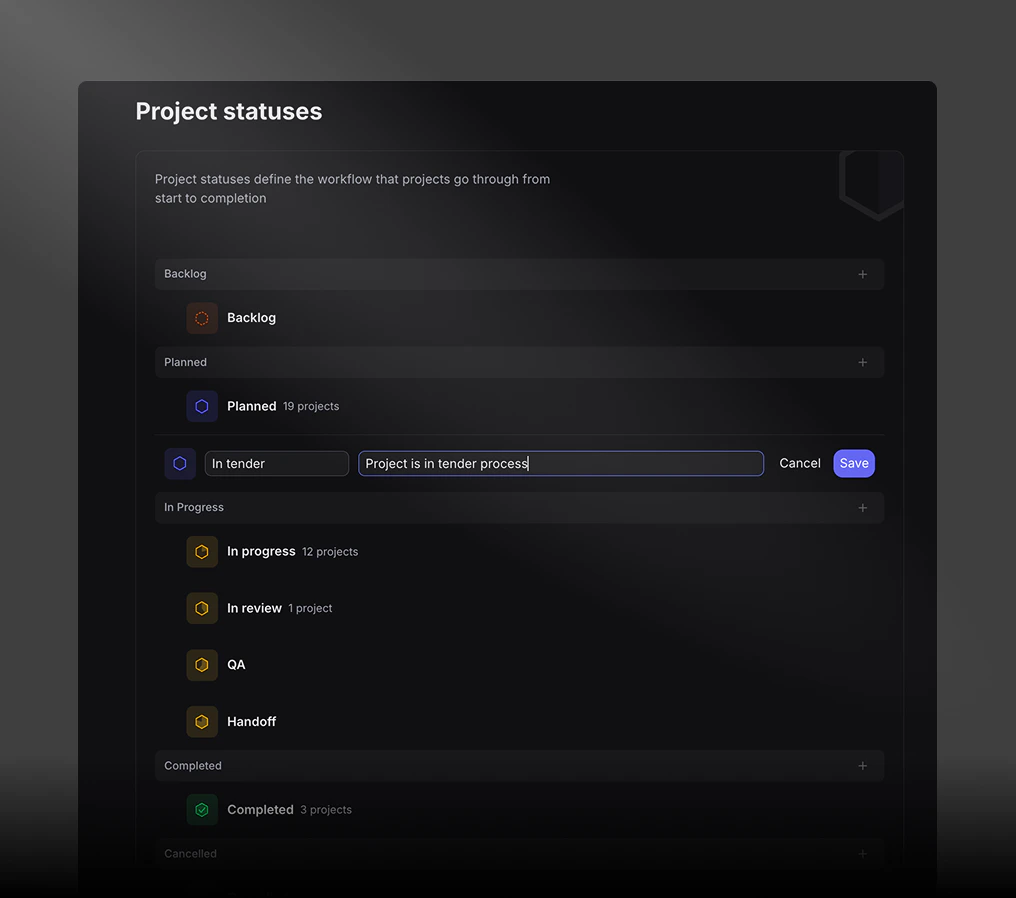
February 9th, 2026
Project cost breakdown.
View project costs in details, broken down by expenses and labour.February 7th, 2026
Introducing expense categories.
An easy way to distinguish and report on expenses.Create and modify categories in Log -> Expenses -> SettingsJanuary 26th, 2026
Improved task filtering and grouping.
Tasks are now by default sorted by Active statuses to de-clutter your workspace.Easily switch between Active, Completed and All tasks at any time.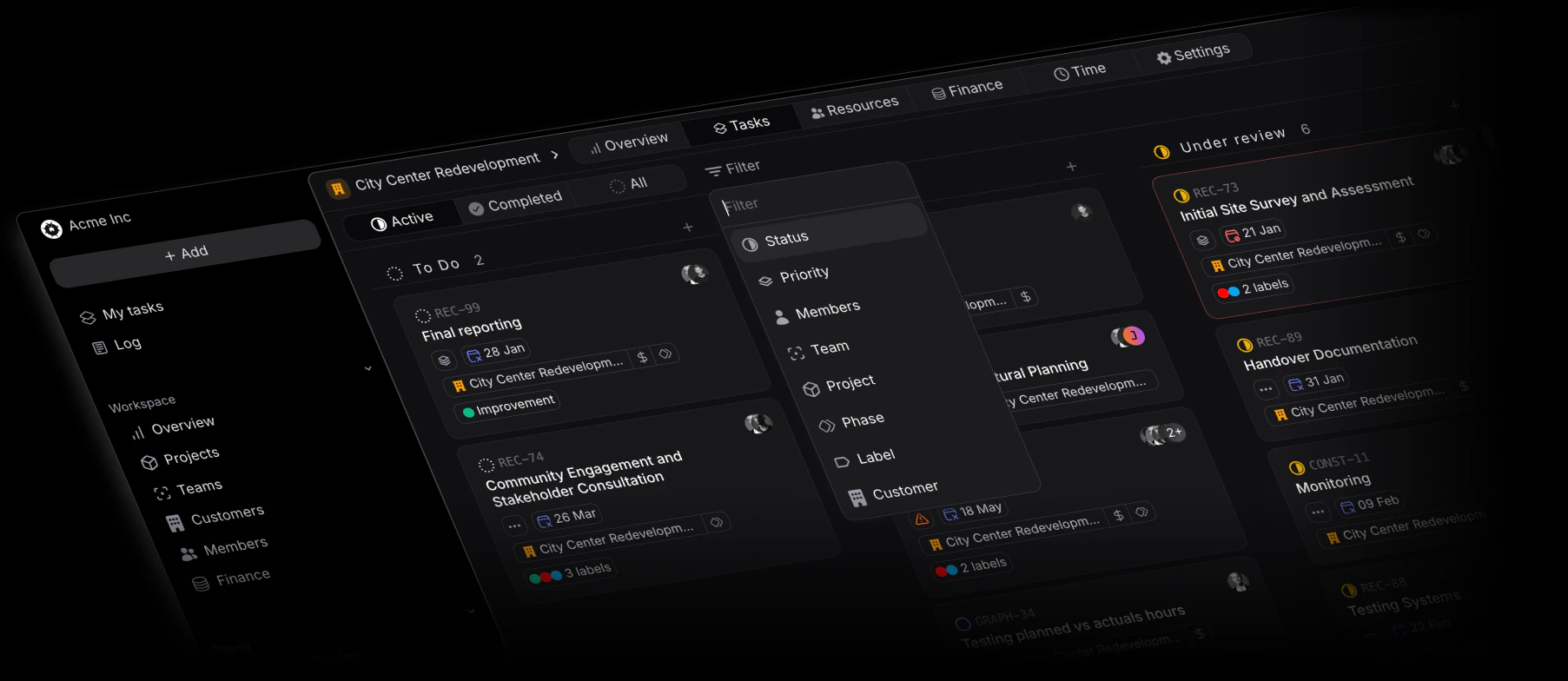
January 15th, 2026
Allocations overview now filterable by positions and skills
Segment your team’s available versus planned capacity by positions and skills, for a faster understanding of possible overbookings or underbookings.Act on this data to staff up or down to meet project requirements.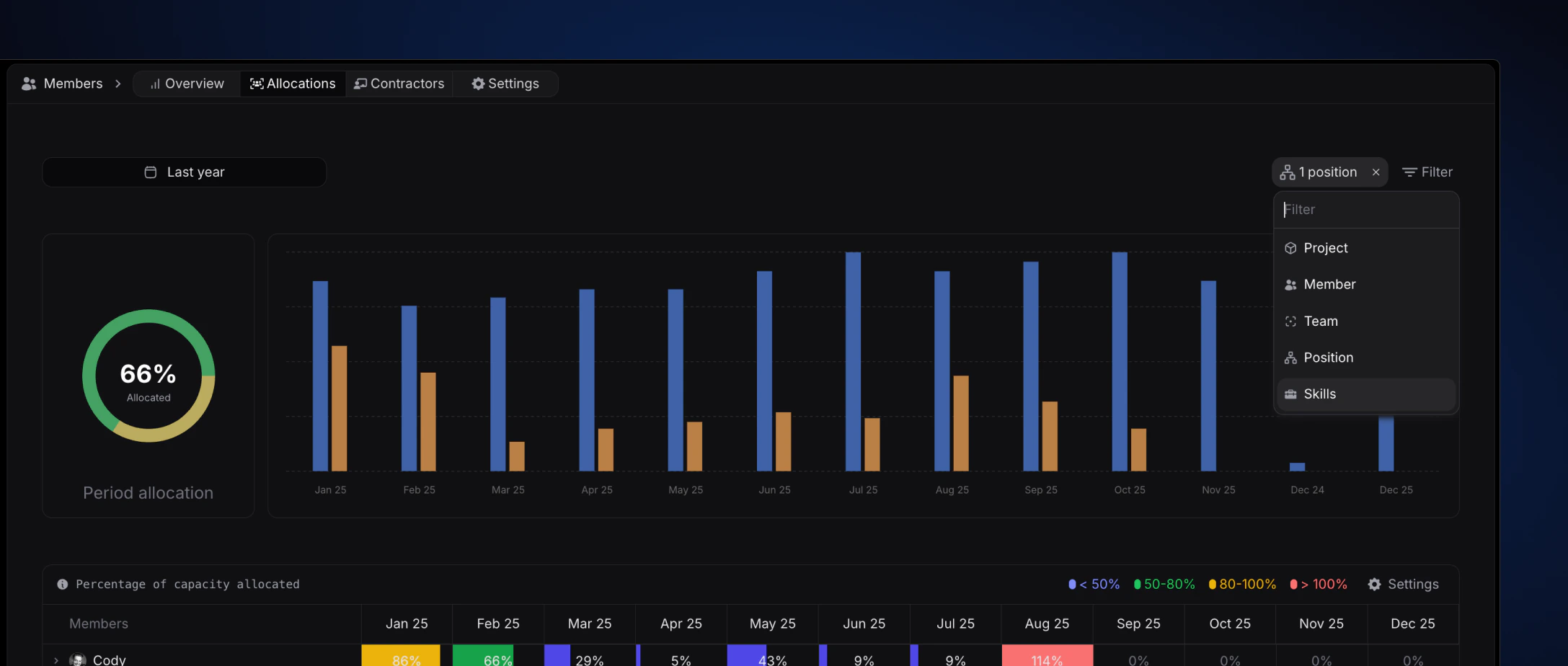
January 2nd, 2026
Slack Integration - Task preview in slack threads
With the Slack integration, it’s now easier than ever to collaborate on projects and tasks directly from within your slack workspace and threads.The Slack integration makes it easy to create, update, and view Pike tasks and their data directly from Slack. Notifications and synced threads keep colleagues in the loop on projects and tasks.Links from Pike sent in Slack will expand to show a preview with key properties such as description, status, and assignee for task links and description and status for project links. Expanded links will include actions when available so that members can update tasks directly from Slack.
December 22nd, 2025
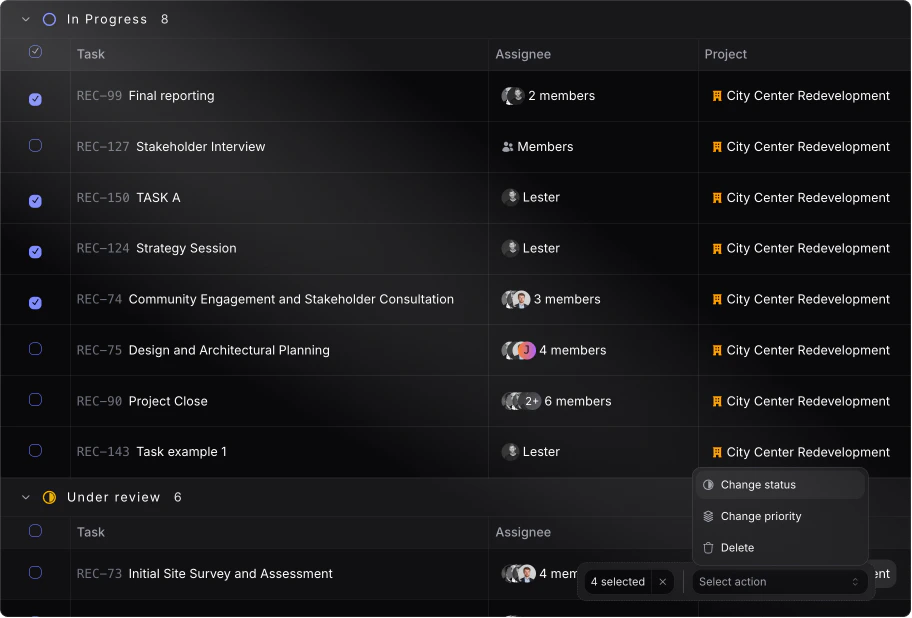
Task bulk actions
Selection multiple tasks to apply a similar action.Currently the following properties can be changed:- Task status
- Task priority
-
Delete tasks
December 8th, 2025
Skills and position filtering for project resources
When adding resources to projects from the resource tab, it’s now possible to filter by skill(s) and position(s) for better and more accurate assignees.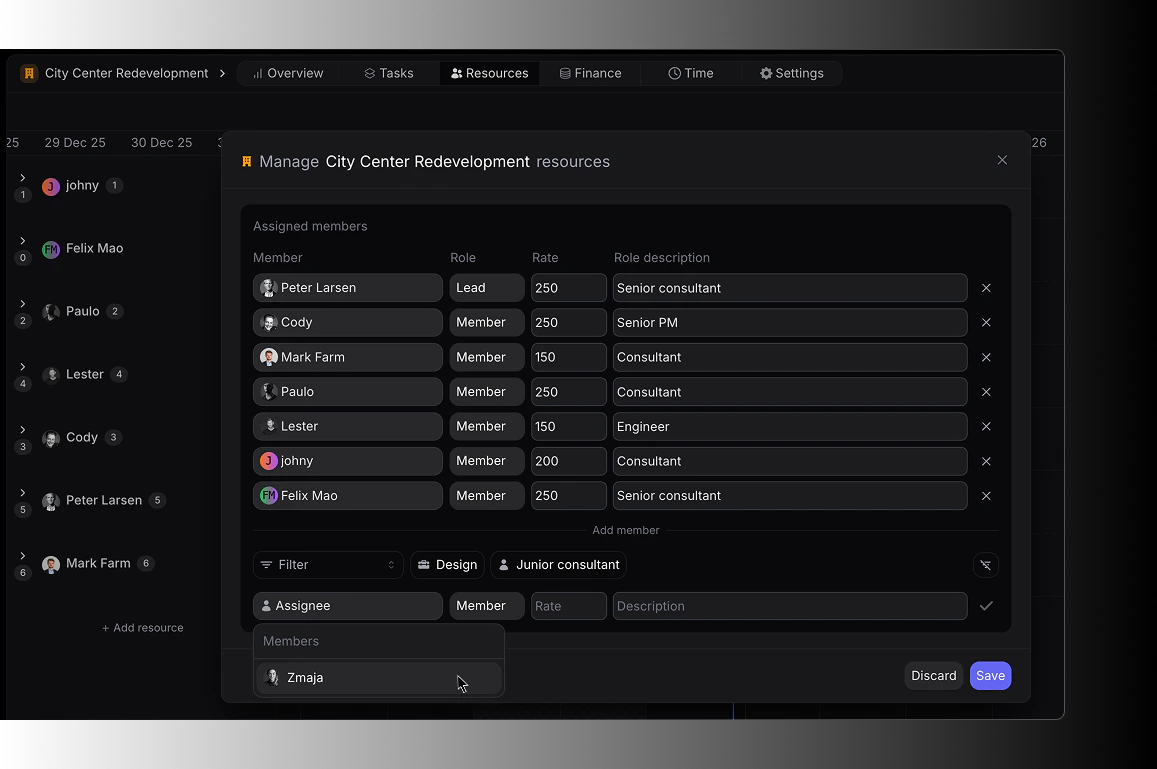
November 17th, 2025
Improved financial insights
New and improved financial insights to view actuals and planned “Earnings, Costs and Profit”.Availble on a project level (Project -> Finance) and workspace level (Finance -> Overview)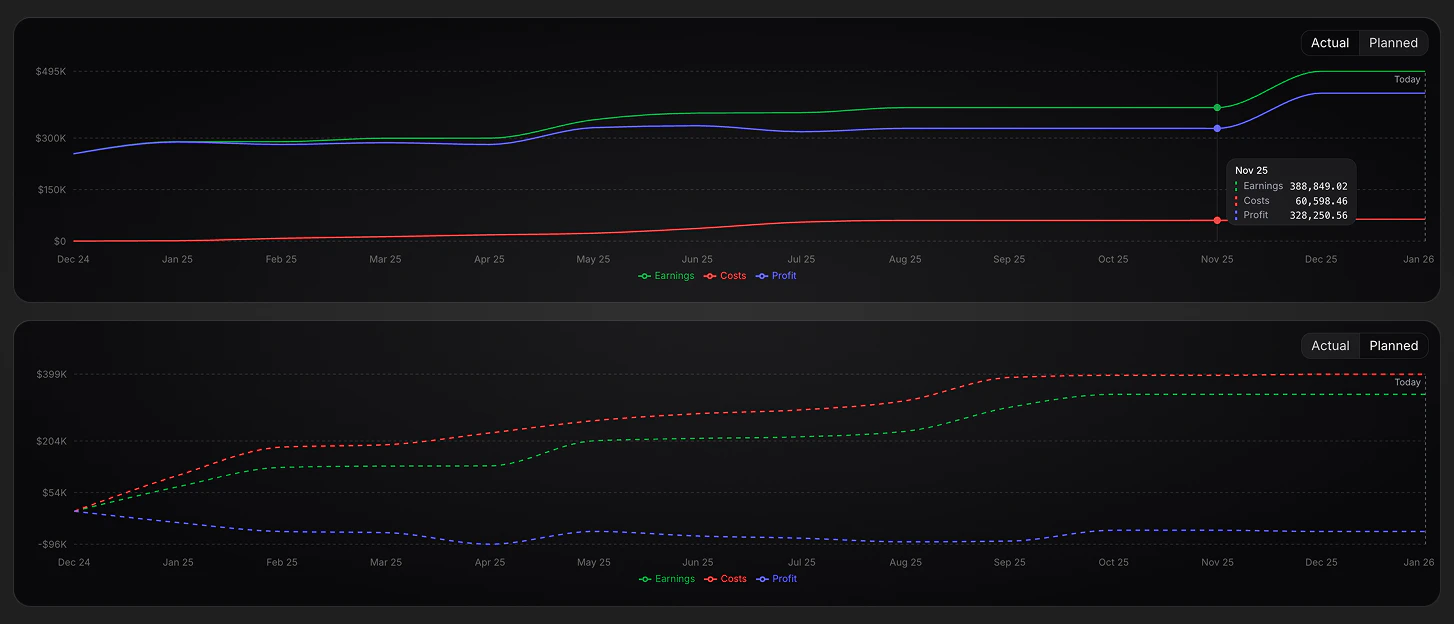
November 3rd, 2025
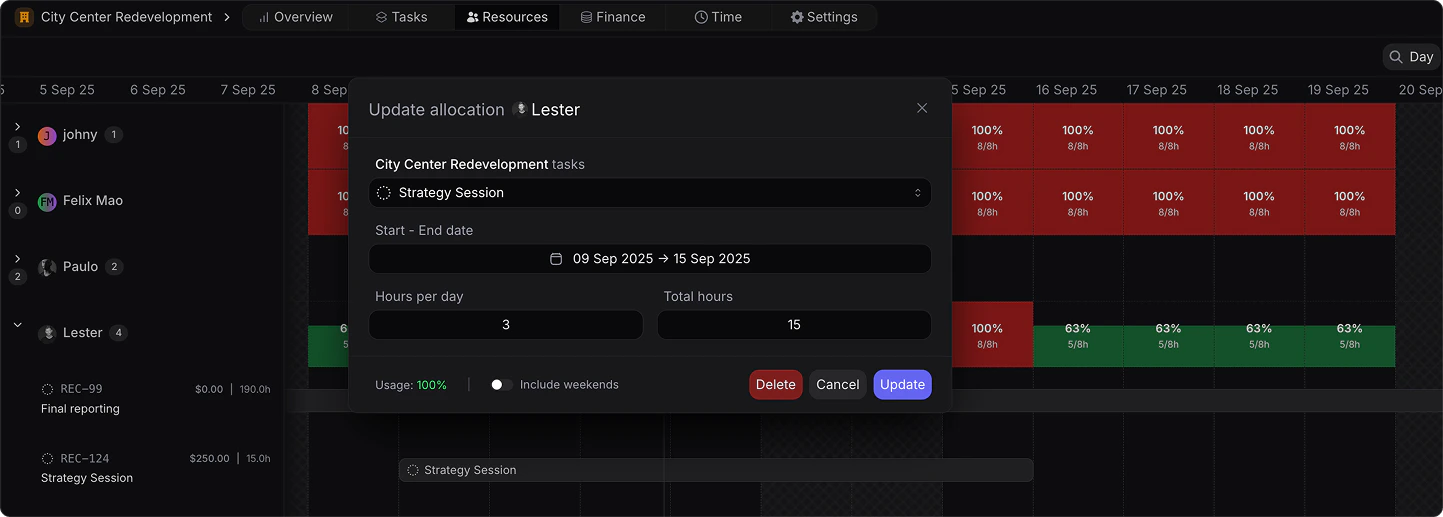
Resource allocation improvement
The following improvements have been added to the project level resource allocation:- Showcase of task allocation in % of capacity and hours.
- Upon allocation of a task, a real-time usage impact is shown in the bottom left corner for the specific allocation period.
-
Allocation can be made as hours per day or total hours in allocation period.
October 19th, 2025
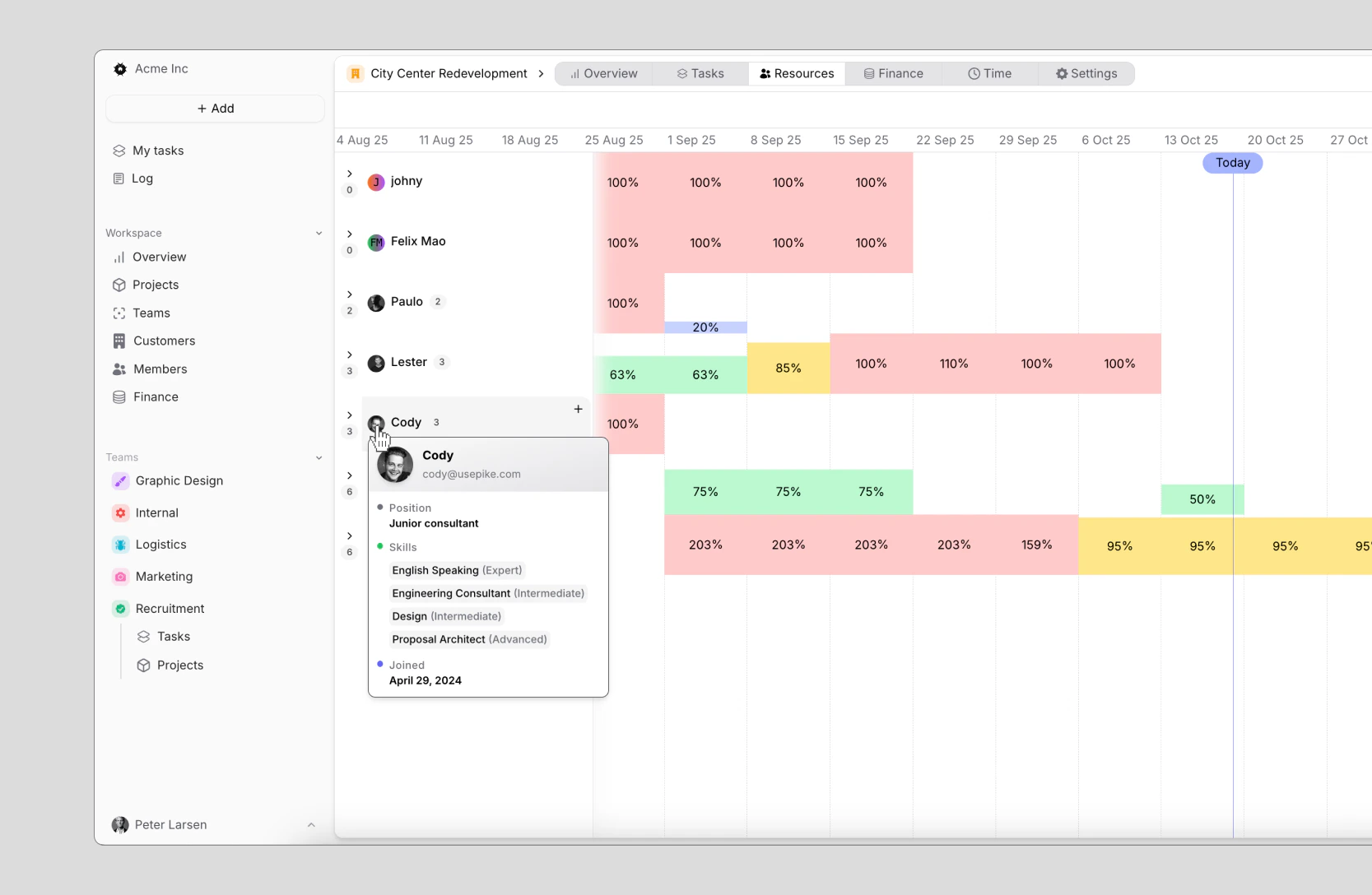
Member Hover - Quick Info
Hover over a members icon from wherever in your workspace to view the following information:- Full name
- Contact information
- Position
- Skills
Xero Integration
With the integration between Pike and Xero, you can:- Push invoices from Pike to Xero
- Get real-time payment updates from Xero to Pike
- Importing and syncing customers
-
Importing and syncing products

August 18th, 2025
Project time budgets and forecast
Define time budgets on projects, as well as view in real time planned versus actuals inside of each project.Switch between a bar chart and linear chart to interact with past and future budget expectations.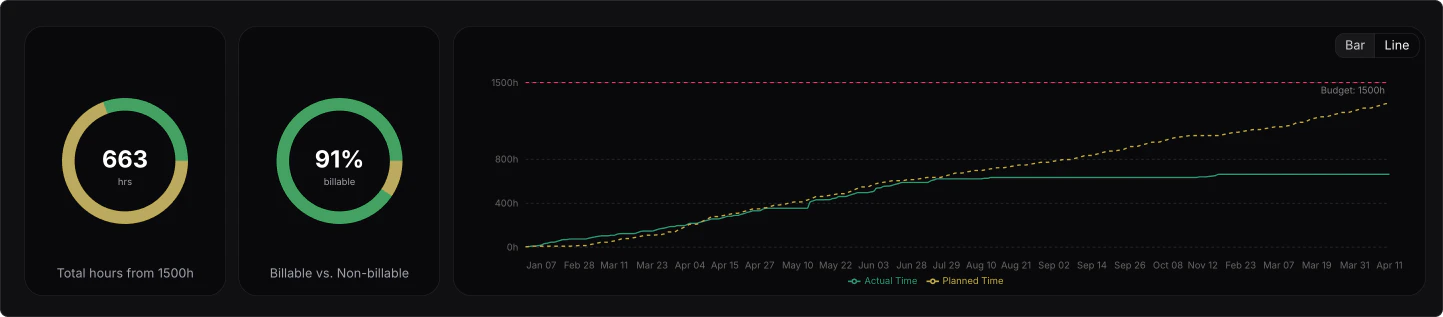
August 6th, 2025
Pipeline value overview
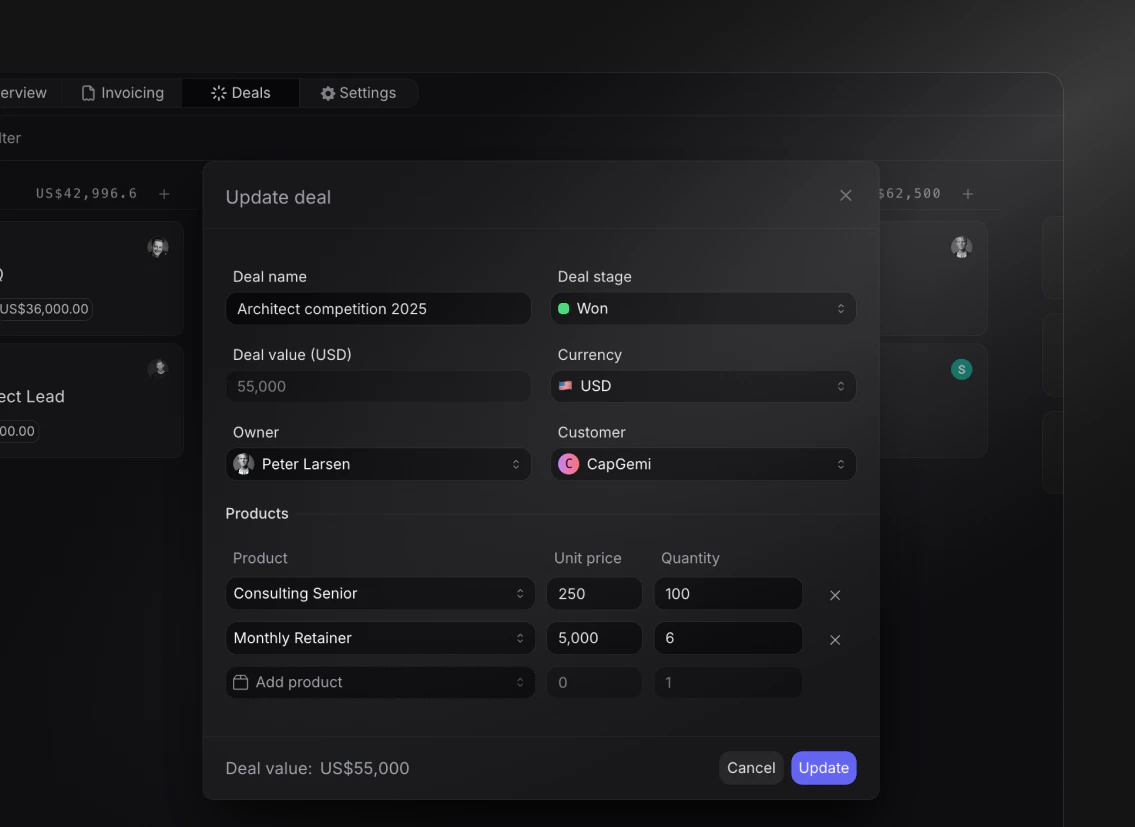
You can now track your pipeline value per individual service or product and per stage, directly from your Finance Overview.This is especially useful for sales teams and leadership, to ensure a healthy pipeline whilst understanding exactly the distribution and breakdown of potential revenue by service and product.- Create products under finance -> settings.
- Add line items to deals with unit pricing and quantity
- The total deal value gets automatically calculated
-
View the pipeline distribution in your Finance Overview by products and deal stage
July 21th, 2025
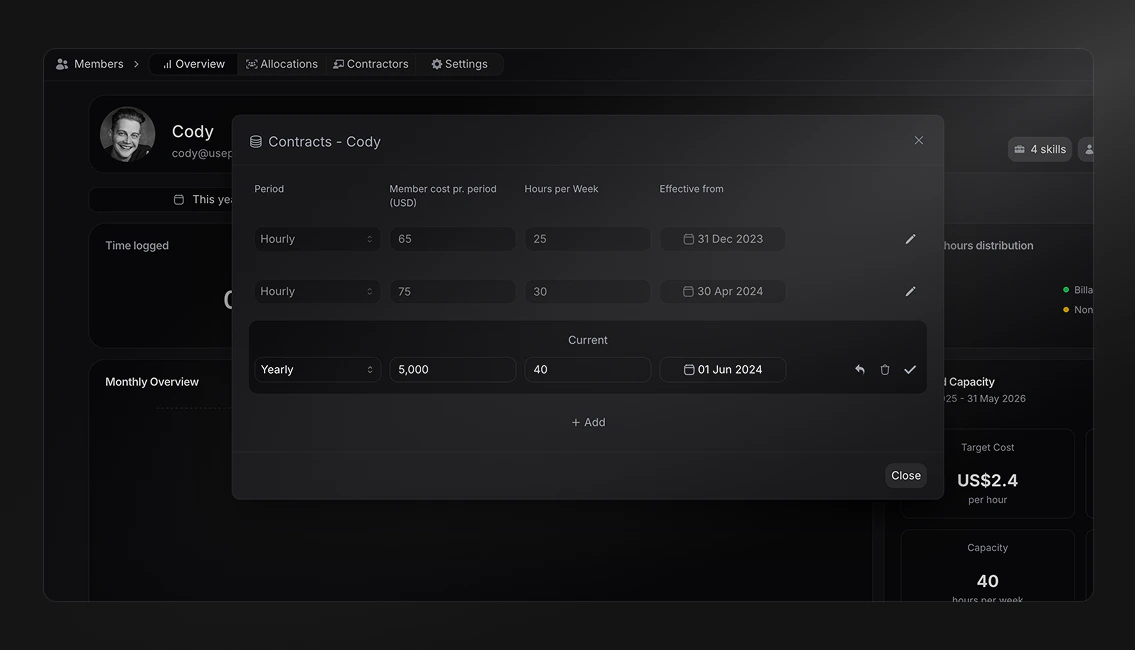
Member cost profile
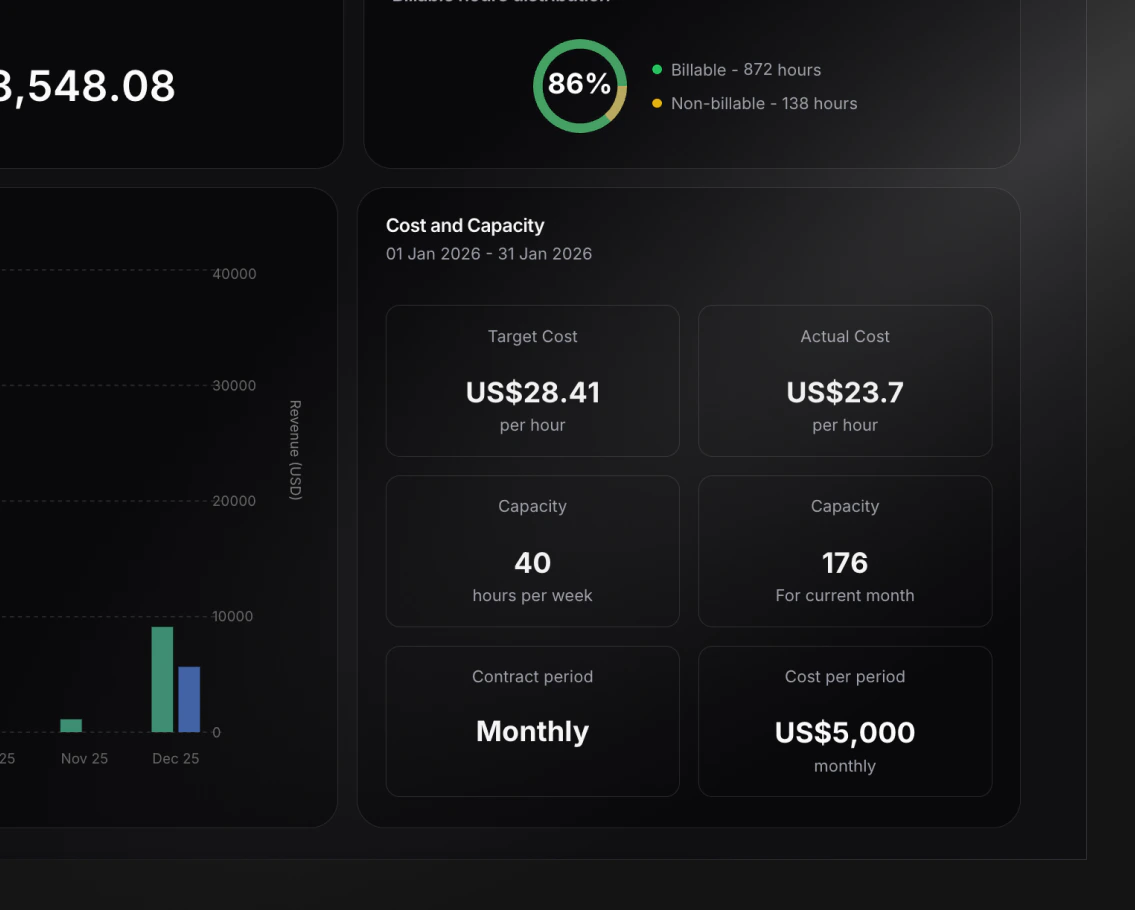
With the newly added member cost profile, you can now define the following for each member:- Cost period (hourly, weekly, bi-weekly, monthly and yearly)
- Cost per period (salary)
- Capacity (weekly availble hours)
-
Contract start date (with historical effect)
- Target hourly cost (salary / capacity)
-
Actual hourly cost (salary / logged hours)
July 4th, 2025
Project Template Tasks
We’ve enhanced project templates with the ability to define tasks that will be automatically created when using the template. When creating tasks in templates, you can:- Associate tasks with phases.
- Assign team members and teams
- Set start and due dates
- Define priority levels
- Pre-assign tasks to specific teams
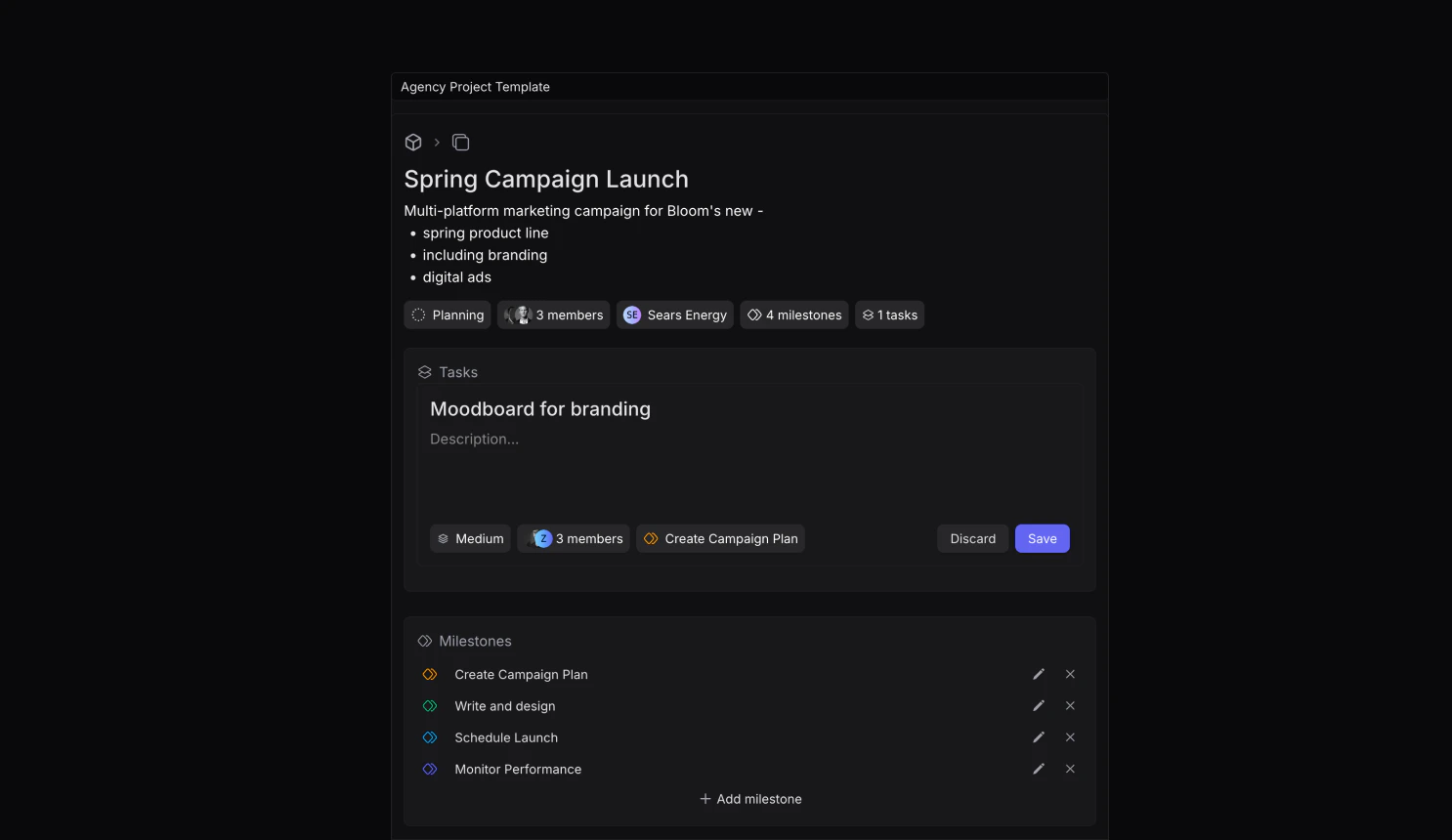
Settings -> Templates -> Project Templates to get started.
Check out how to use project templates here.Resource Planning Improvements
We’ve made updates to the resource planning timeline to improve visibility:- Non-active tasks (e.g., cancelled) are now grayed out to better reflect their impact on capacity
- Tasks are now sorted by status importance for clearer organization
- Visual distinction between active and inactive allocations
June 20th, 2025
Contractor Management
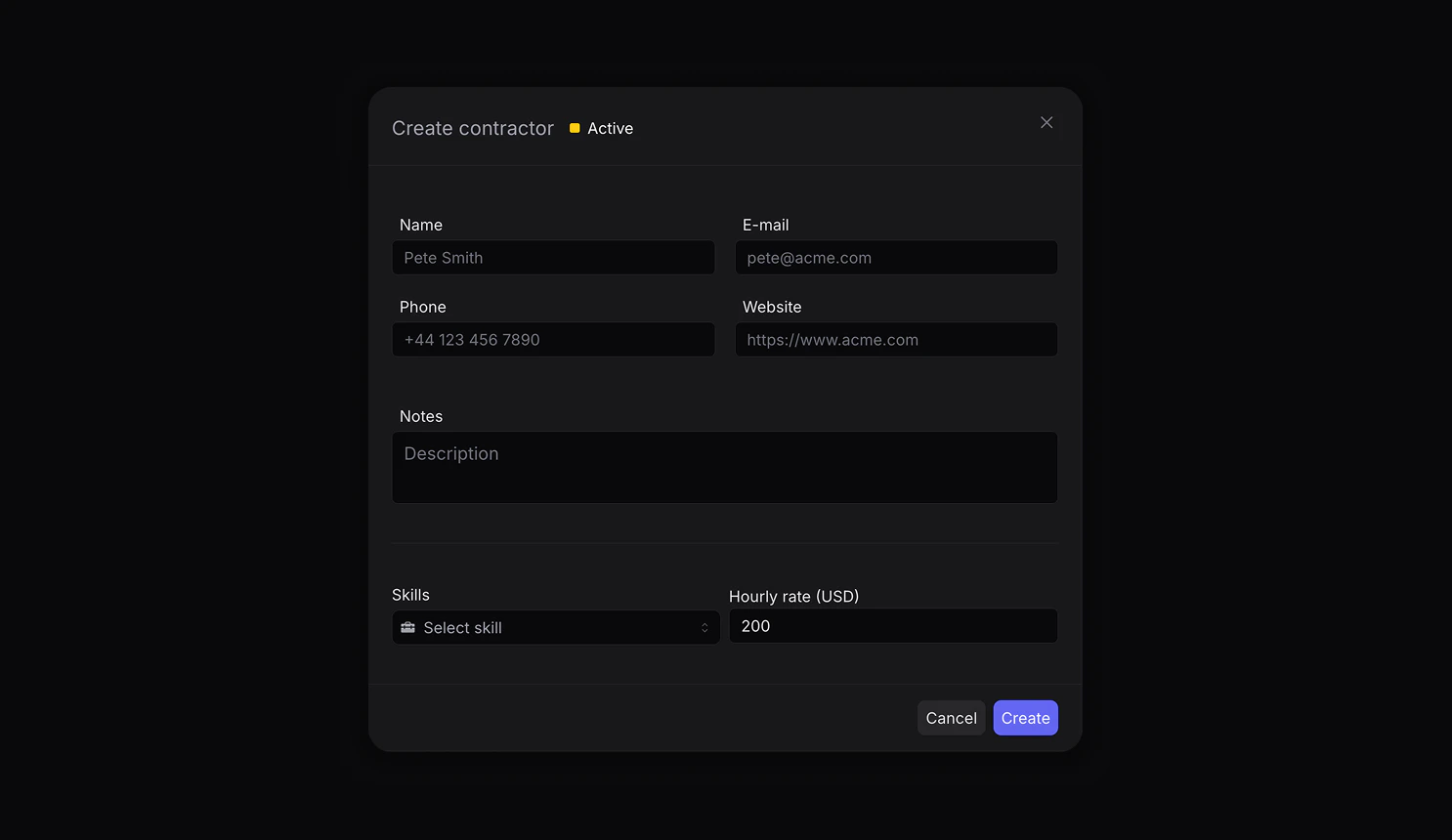
We’ve introduced a comprehensive contractor management system to help you maintain and organize your external resources effectively. Navigate toMembers -> Contractors to get started.Key Features:
- Maintain a searchable database of external contractors
- Manage contact details, hourly rates, and notes
-
Track contractor status:
- Active: Currently available for projects
- Hired: Currently engaged in ongoing projects for your workspace, could be an active member
- Inactive: Not currently available or retired from the database
- Store multiple documents (contracts, agreements, certifications)
-
Tag contractors with skills defined in members/settings
Advanced Filtering and Workflow Highlights
Find the right contractor quickly by filtering through:- Status
- Skills
- Hourly rate ranges
- Full-text search across contact information
Finance Analytics Enhancements
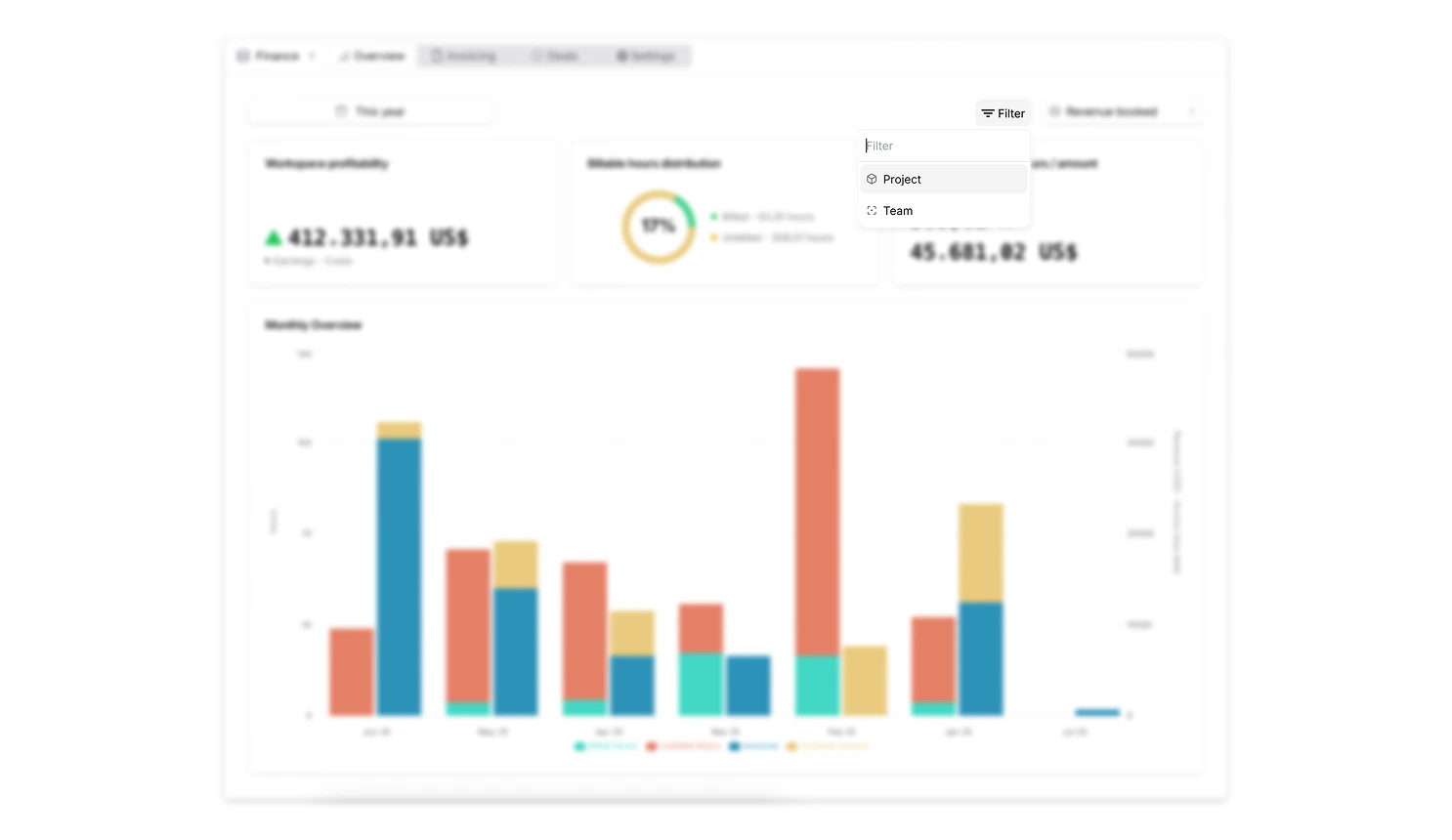
We’ve expanded our finance dashboard with more granular filtering options:- Filter financial analytics by specific projects and teams
- Combine multiple projects and teams for custom reporting views
-
Get deeper insights into your organization’s financial performance
Resource Allocation Improvements
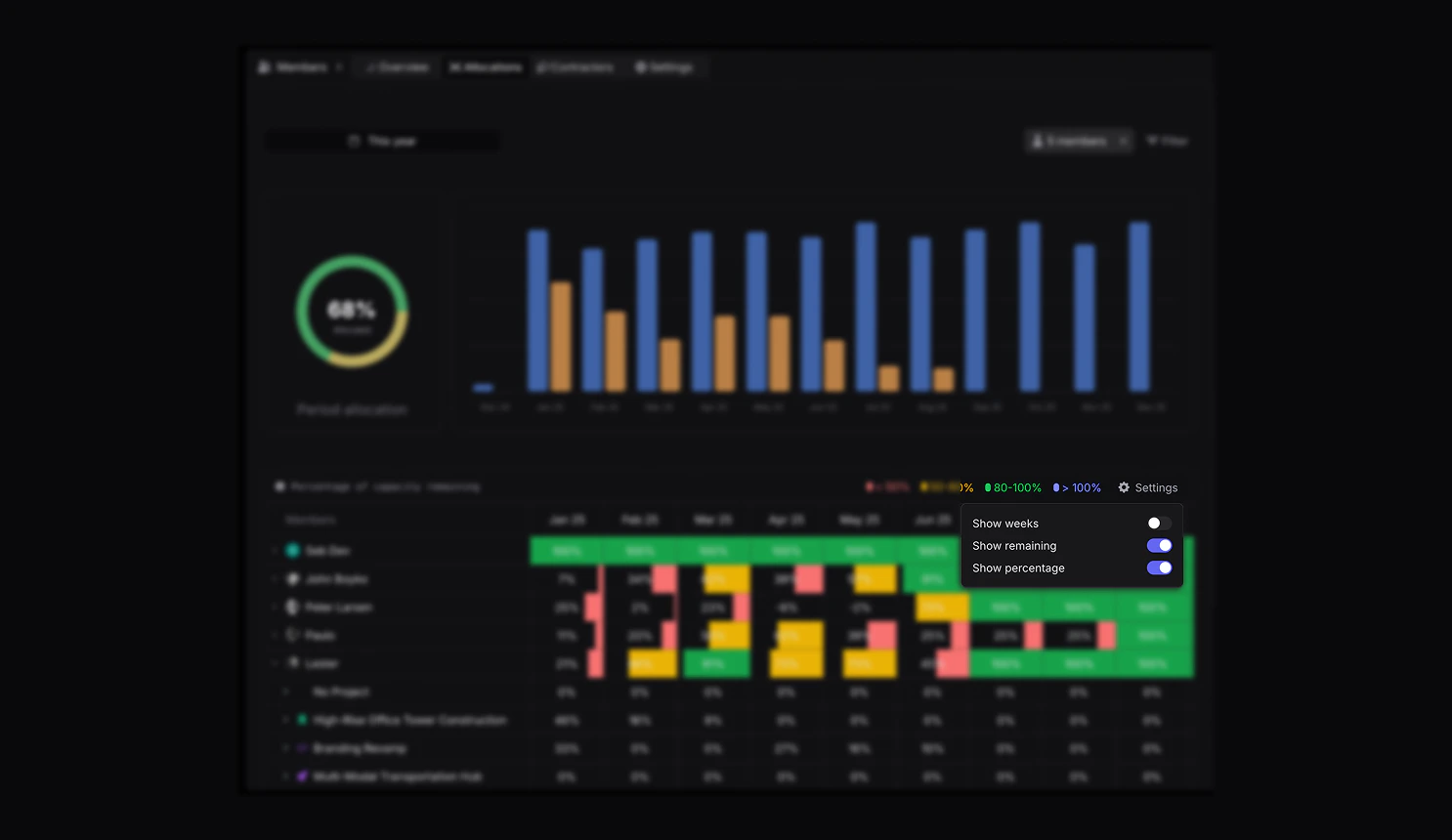
Enhanced visibility into resource capacity:- View remaining capacity in percentage as well as hours
- When viewing remaining hours, get color coded to indicate if the member is over capacity, at capacity or under capacity
-
When hovering over a member, you can see their remaining capacity in both hours and percentage
June 6th, 2025
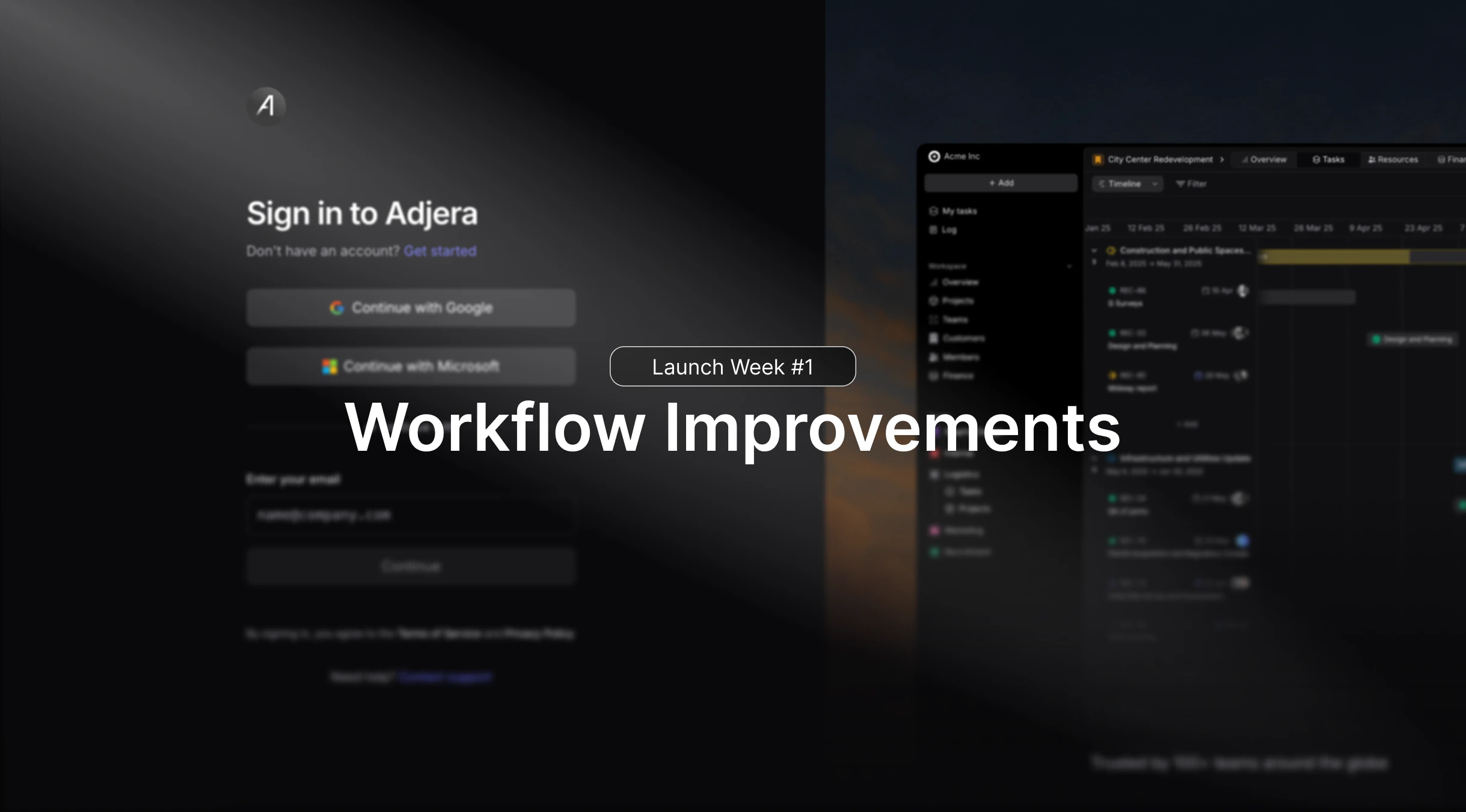
Workflow Improvements
This release focuses on overall workflow improvements. These updates, although smaller, make up a great chunk of how smooth and enjoyable using Pike can feel.Highlights include:- Inline creation of items such as customers and products
- Better user invitation flow
- Better filtering of member when assigning tasks
June 5th, 2025
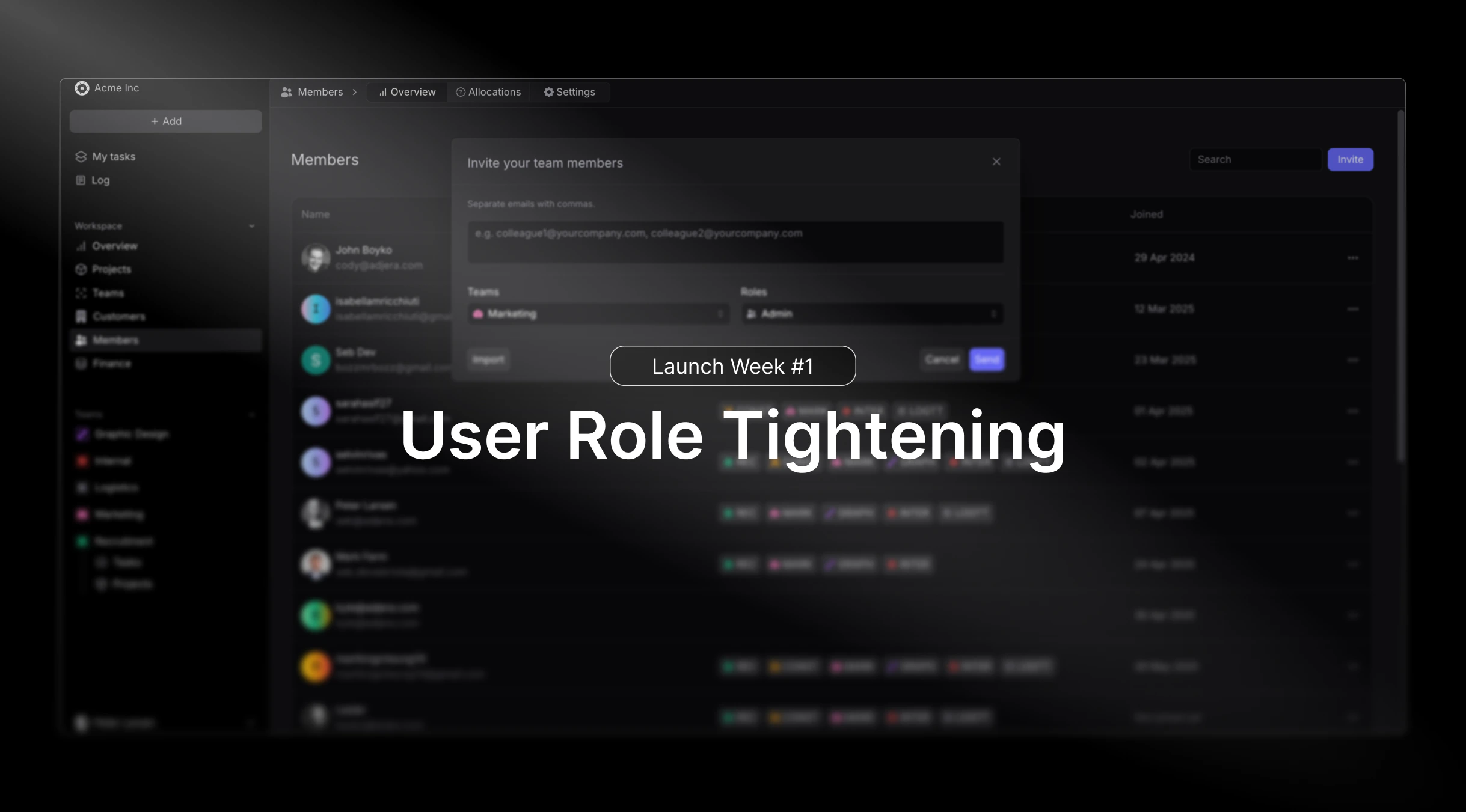
User Roles Tightening
When working with multiple stakeholders, members, projects and overall data, it’s important to have an easy way to create and enable focus for every user.Introducing a tightening of our user roles and what each can view and edit inside Pike. These updates apply to all 5 roles:- Admin
- Manager
- Finance Manager
- HR Manager
-
Basic
June 4th, 2025
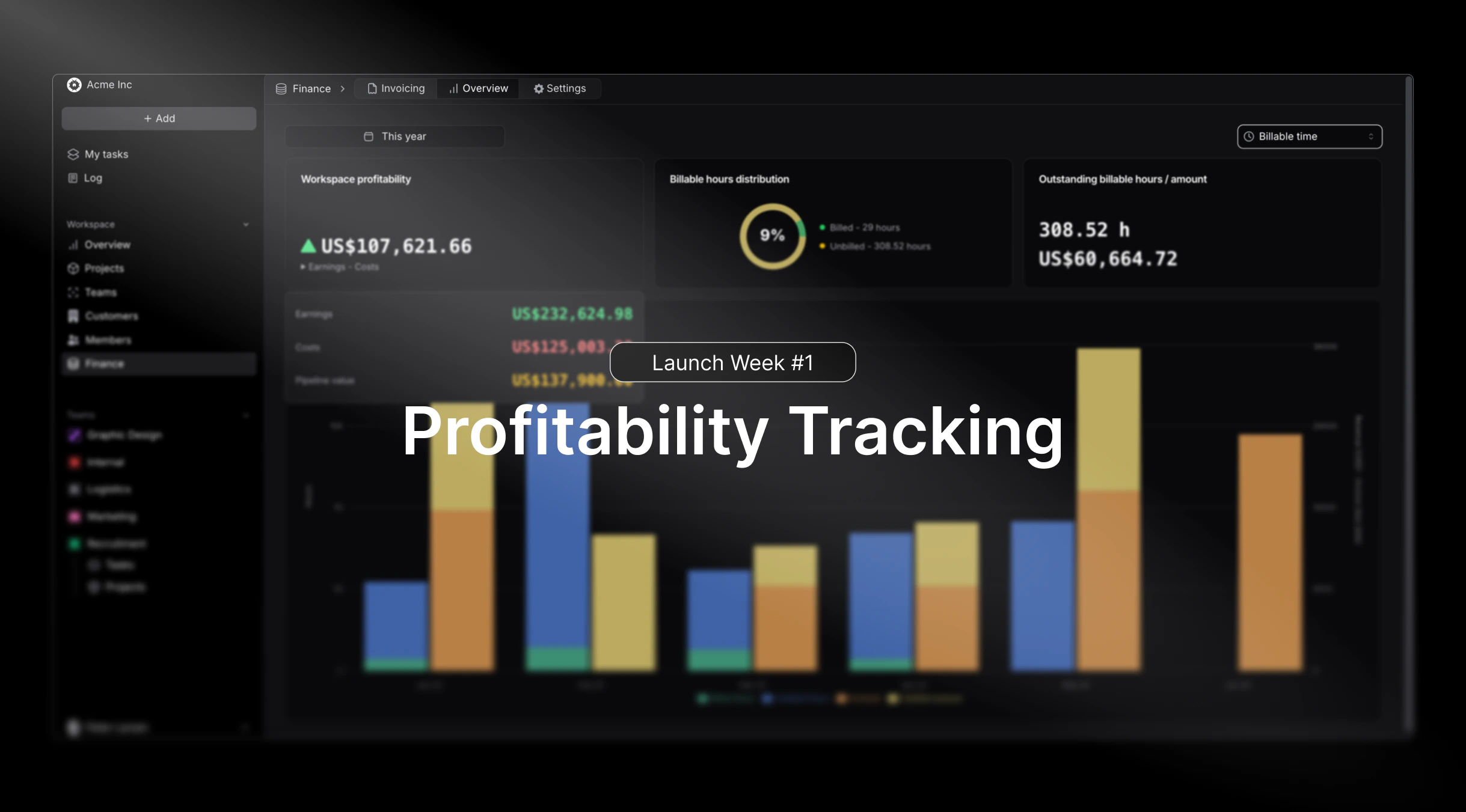
Profitability Tracking
Working with billable hours, expenses, invoices and finance in general, it’s important to stay updated on your projects, customers and overall profitability.Introducing an improved and more comprehensive profitability tracking, including:- The ability to view Projects, Customers and Workspace profits based on revenue or billable hours, giving you the full perspective at different angles.
-
Automated incorporation of Expenses into profitability calculations as costs.
June 3rd, 2025
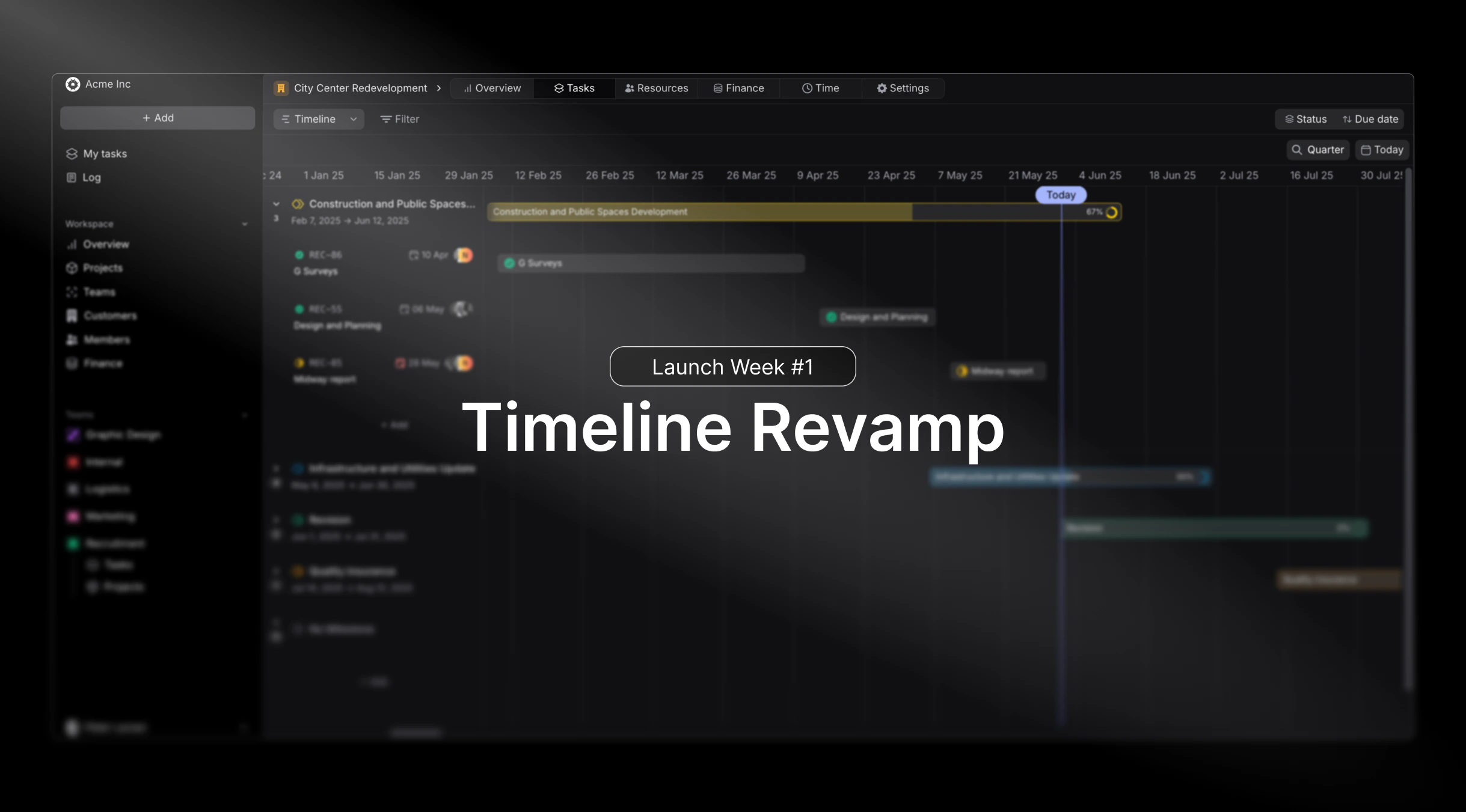
Timeline Revamp
We bring you an upgraded and smoother timeline then ever before. Now applicable and live for Projects, Tasks and Resource Allocation.Highlights include:- Phases are now visible in Projects and Tasks timeline.
-
Smoother drag and drop for a more snappy feel.
June 2nd, 2025
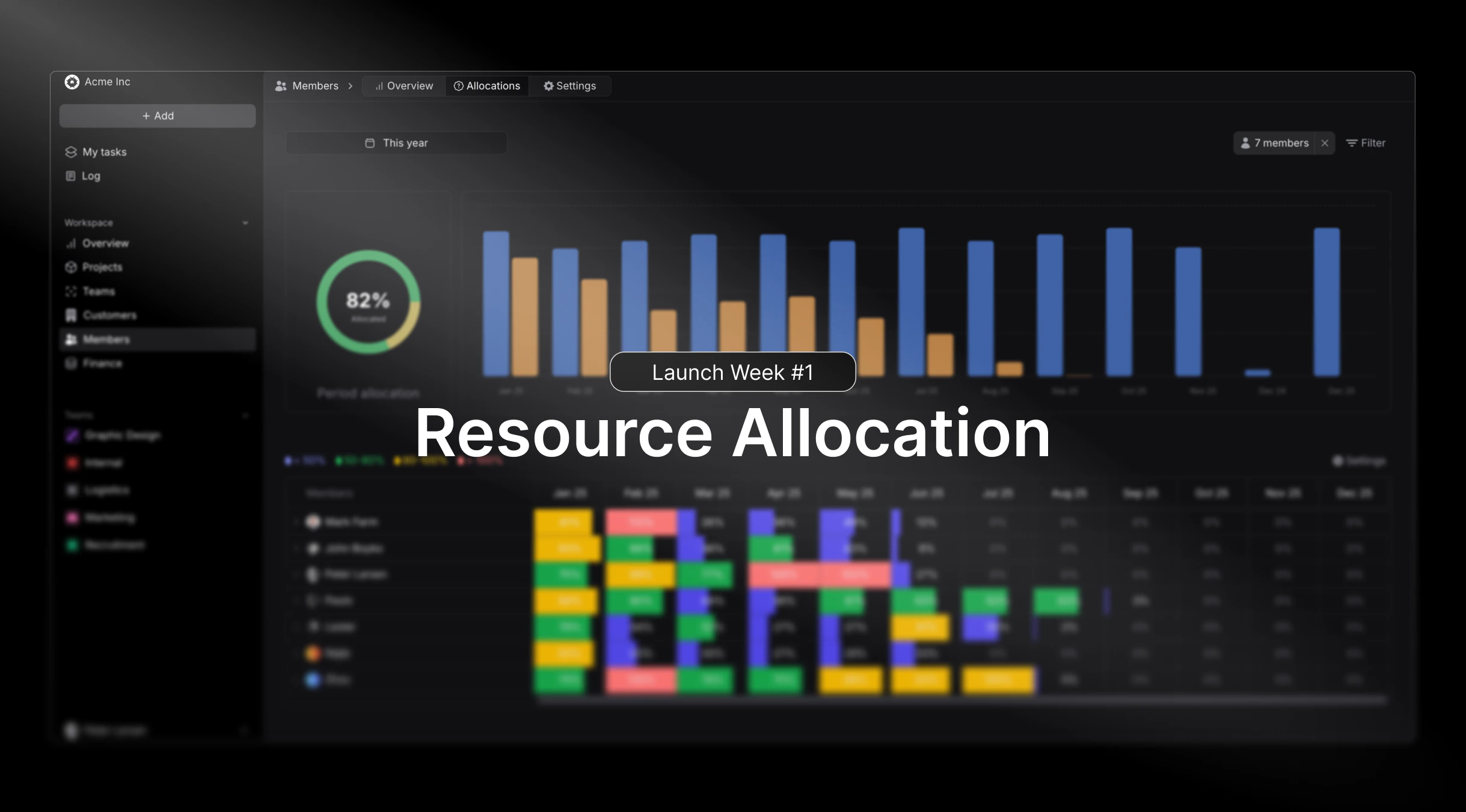
Enhanced Resource Planning
This release focuses heavily on improving how teams manage and allocate resources across multiple projects. We’ve redesigned the resource allocation interface to provide better visibility into team capacity and skill matching.- Advanced resource scheduling with drag-and-drop functionality
- Skill-based resource matching for optimal project assignments
-
Real-time capacity planning with availability forecasting
April 10th, 2025
Critical Fixes and Stability
This maintenance release addresses several important issues reported by our enterprise clients, particularly around data synchronization and reporting accuracy:- Resolved calculation errors in complex phase-based projects
- Improved performance for organizations with 500+ active projects
April 09th, 2025
Third-Party Integrations
We’ve expanded our integration capabilities to better support existing workflows and reduce the need for manual data entry across platforms.Intuit QuickBooks
With the integration between Pike and QuickBooks, you can now:- Push invoices from Pike to QuickBooks
- Get real-time payment update from QuickBooks to Pike
- Important and sync customers
-
Important and sync products

E-conomic
With the integration between Pike and E-conomic, you can now:- Push invoices from Pike to E-conomic
- Get real-time payment update from E-conomic to Pike
- Important and sync customers
-
Important and sync products

March 11th, 2025
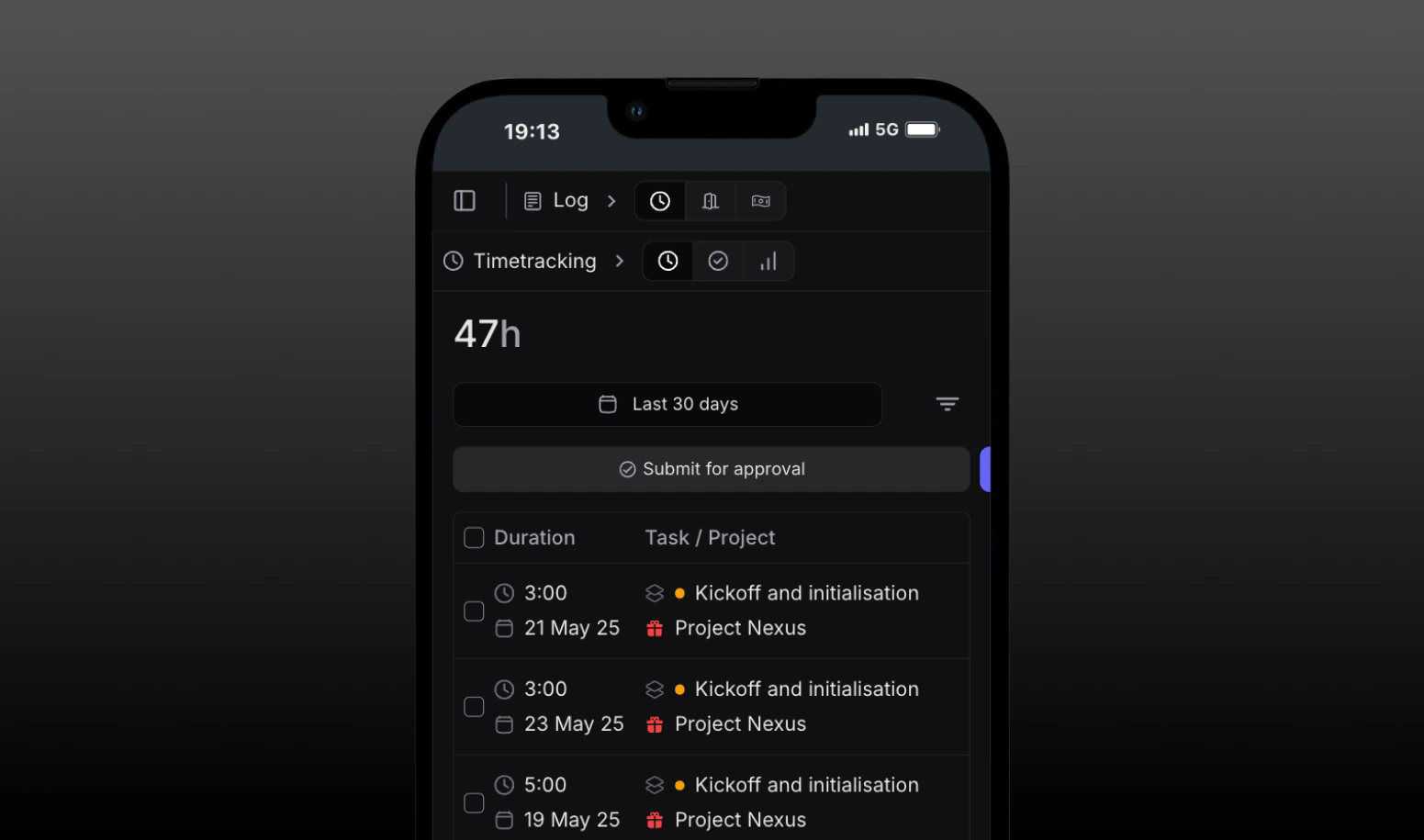
Mobile-First Time Tracking
Professional services teams are increasingly mobile, and this release delivers a completely redesigned mobile experience for native use.- Log time
- View tasks and deadlines
-
Create and assign work
February 25th, 2025
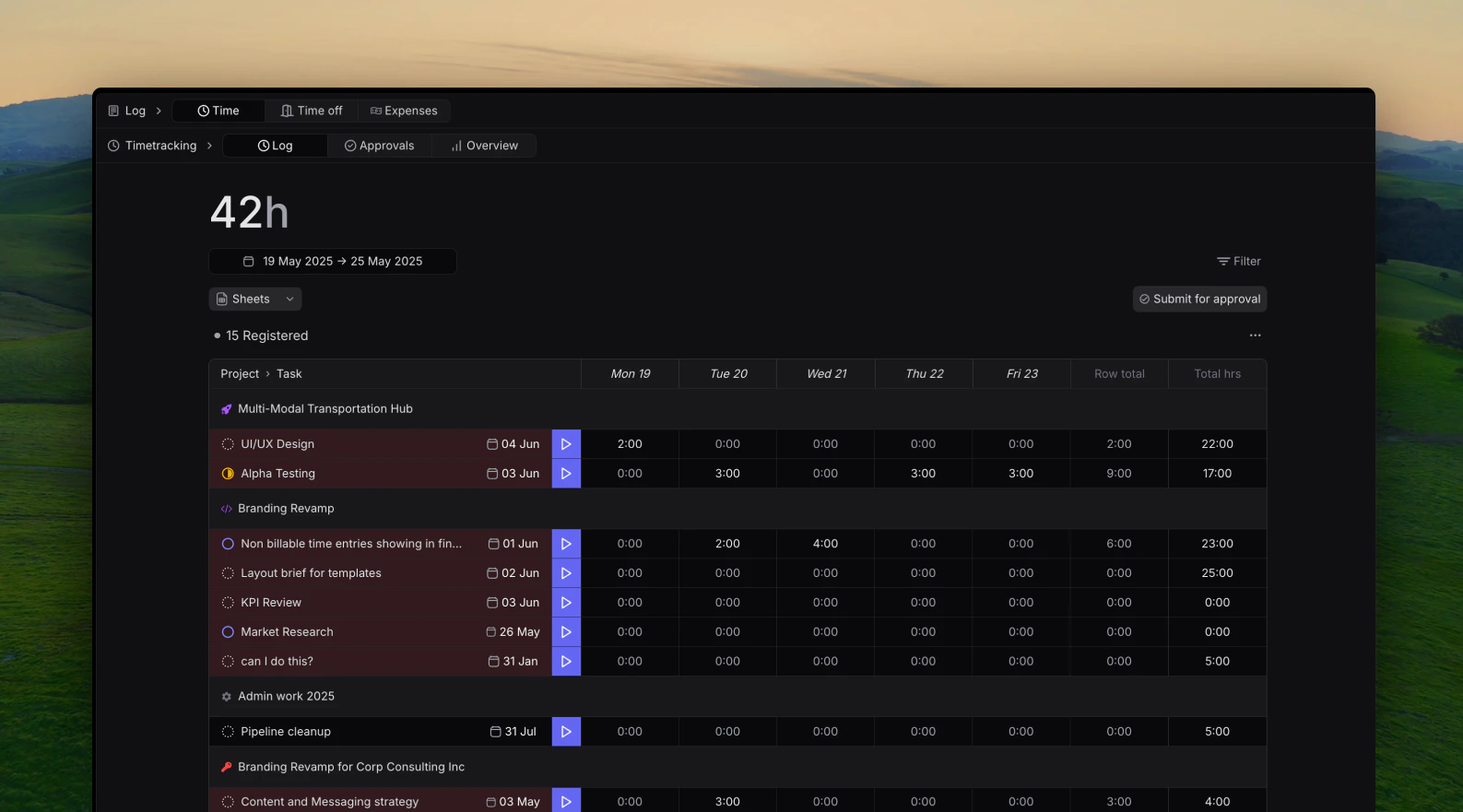
Improved time tracking features
Time tracking accuracy is crucial for professional services profitability. This release introduces intelligent features to improve both accuracy and user adoption.Users can now register time from anywhere in the app or from our new timesheet.This release includes:- Timesheet
- Start and stop timer
-
Quick log button
February 15th, 2025
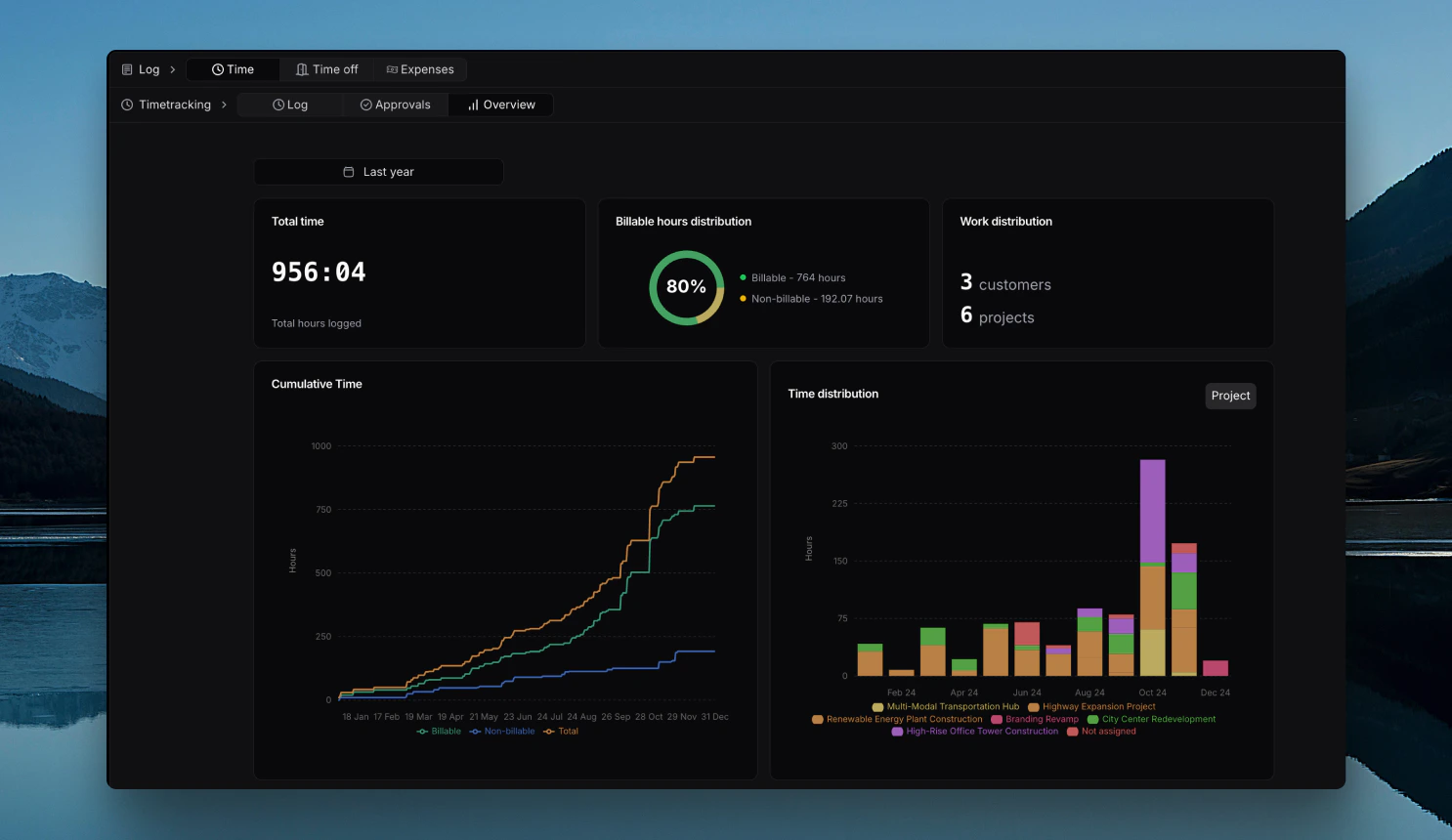
Time usage dashboard
Want to know how much time has been spent across your entire firm, as well as being able to drill down into time spent per project, customer, tasks labels and individual members, all in a single page and in real-time?Well now you can!The new Time dashboard that you can find as an admin under Log -> Time -> Overview, can give you the following insights:
- Total time logged in the selected period
- Billable hours distribution in the selected period
- Work Distribution: Number of Customers and Projects that have been logged time under
- Linear Cumulative Time graph comparing total time logged versus billabke and non-billable hours.
-
Total Distribution of time entries sorted by Projects, Customers, Task Labels and Members
January 25th, 2025
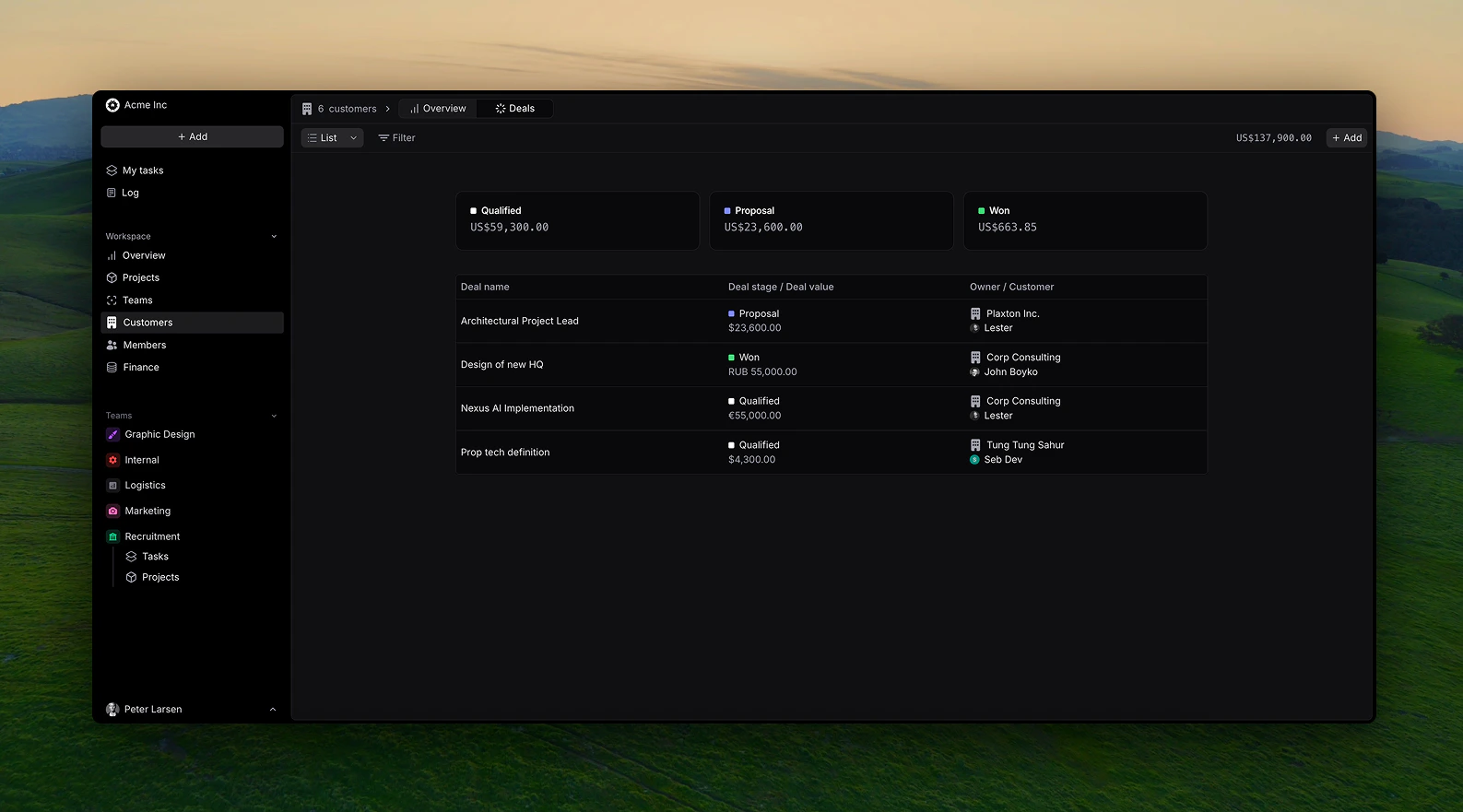
Customer Deals
With this release, you can now create and track customer deals in real-time through different stages.When creating a deal, fill out the following information:
- Deal name
- Related customer
- Deal owner
- Deal value in your choosen currency
- Deal stage (Prospect, Qualified, Negotiation, Proposal, Won/Lost)
Views
You can view custome deals in a list or kanban view with drag and drop functionalities.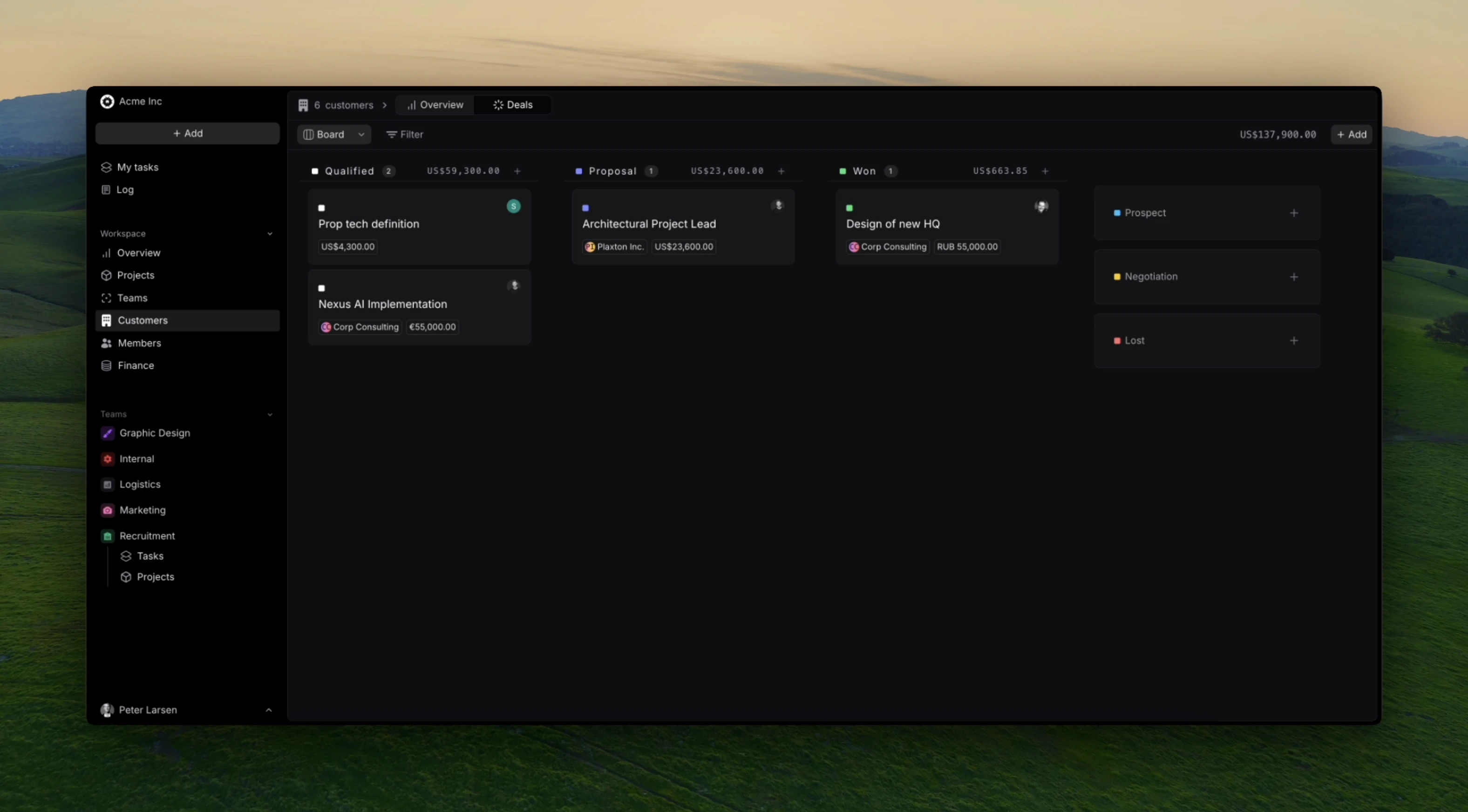
January 08th 2025
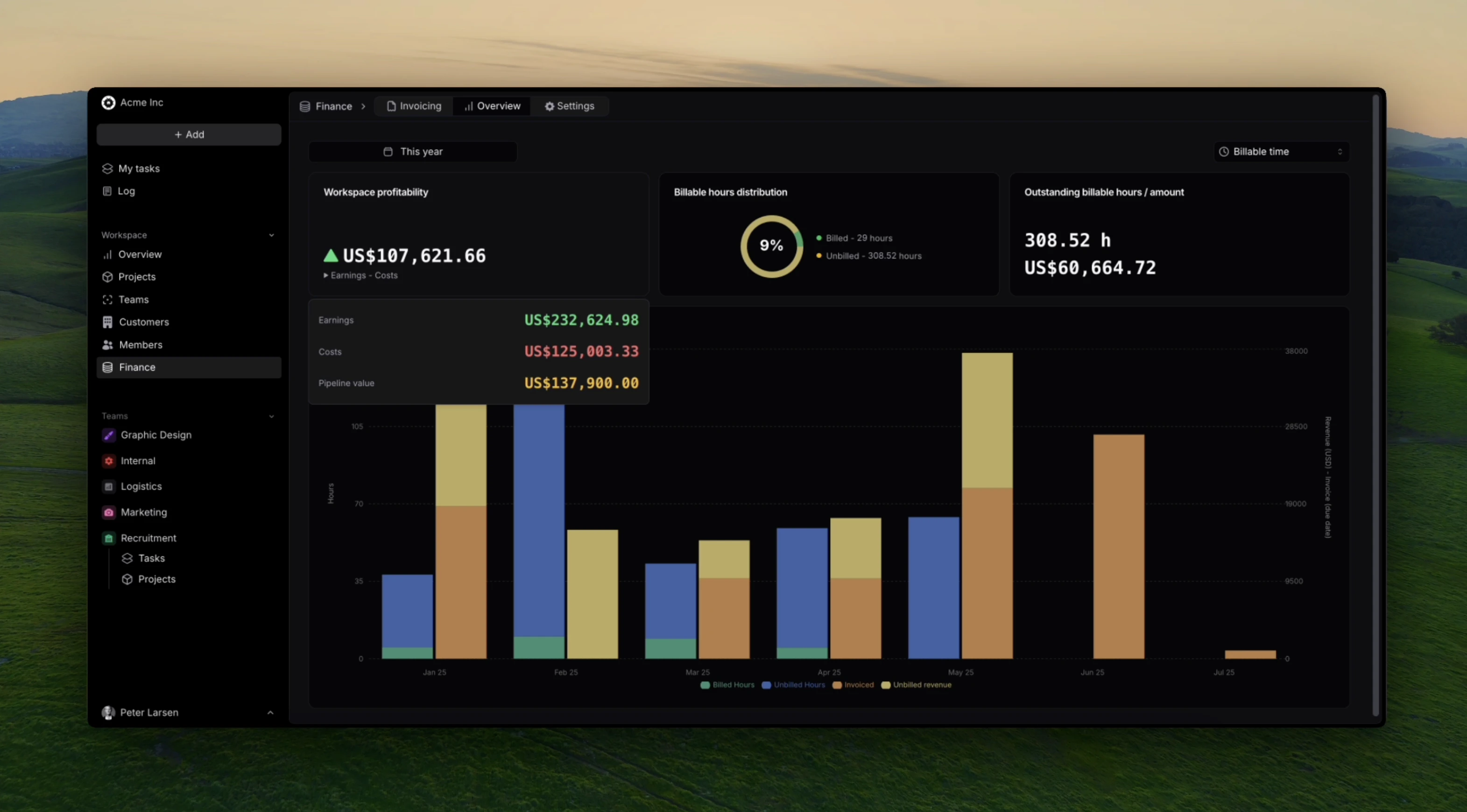
Finance Overview
Get real-time insights into your firms overall financials such as revenue, costs, and pipeline value.This release enables Admin and Finance managers to view the following metrics:- Workspace profitability
- Workspace Earnings
- Workspace Costs (labour and expenses)
- Workspace pipeline value from customer deals
- Billable hours distribution
- Outstanding billable hours and it’s value
January 1st, 2025
Enhanced User Management
Growing professional services firms need sophisticated user management capabilities to maintain security while enabling productivity across diverse teams and client engagements.- Role-based permissions with project-specific access controls
Data Protection
Professional services organizations are entrusted with sensitive client information, making data protection a critical operational requirement.These security enhancements ensure professional services firms can maintain client trust while meeting increasingly stringent data protection requirements across different industries and jurisdictions.December 25th, 2024
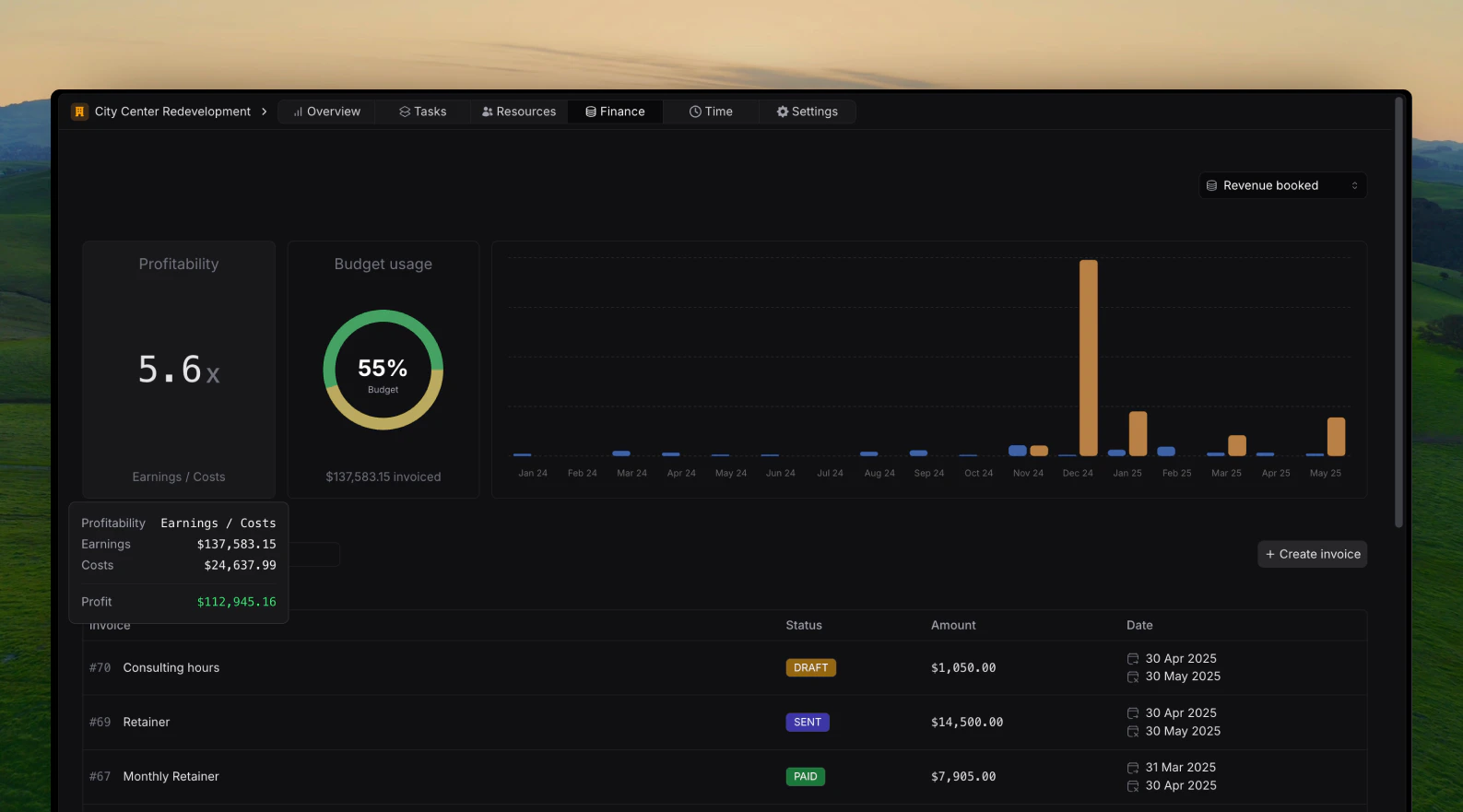
Profitatbility calculations
This release focuses on increasing the flexibility of profitability calculations on projects, customers and the overall workspace.It is now possible to choose wether profitability is calculated based on:- Revenue booked (earnings equals to invoice amounts, in workspace currency)
- Billable hours (earnings equals to registered hours * billable rate of task of the member who registered the hours)
December 14th, 2024
Expense tracking
It’s now possible and easy to track expenses in Pike. Wether they are internal or project related; Billable or non-billable.Navigate to Log -> ExpensesExpenses also comes with a built in approval flow for managers and admins.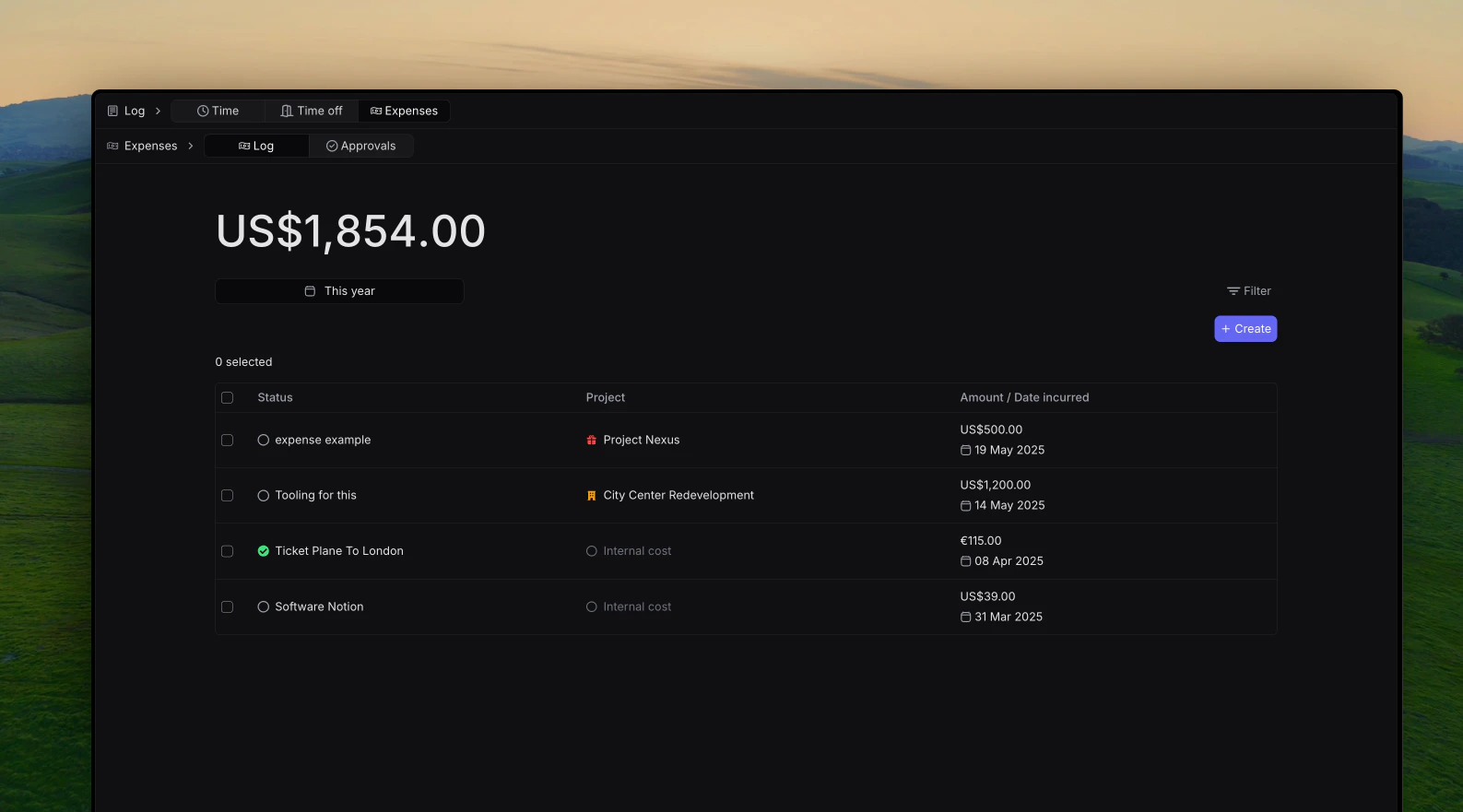
November 26th, 2024
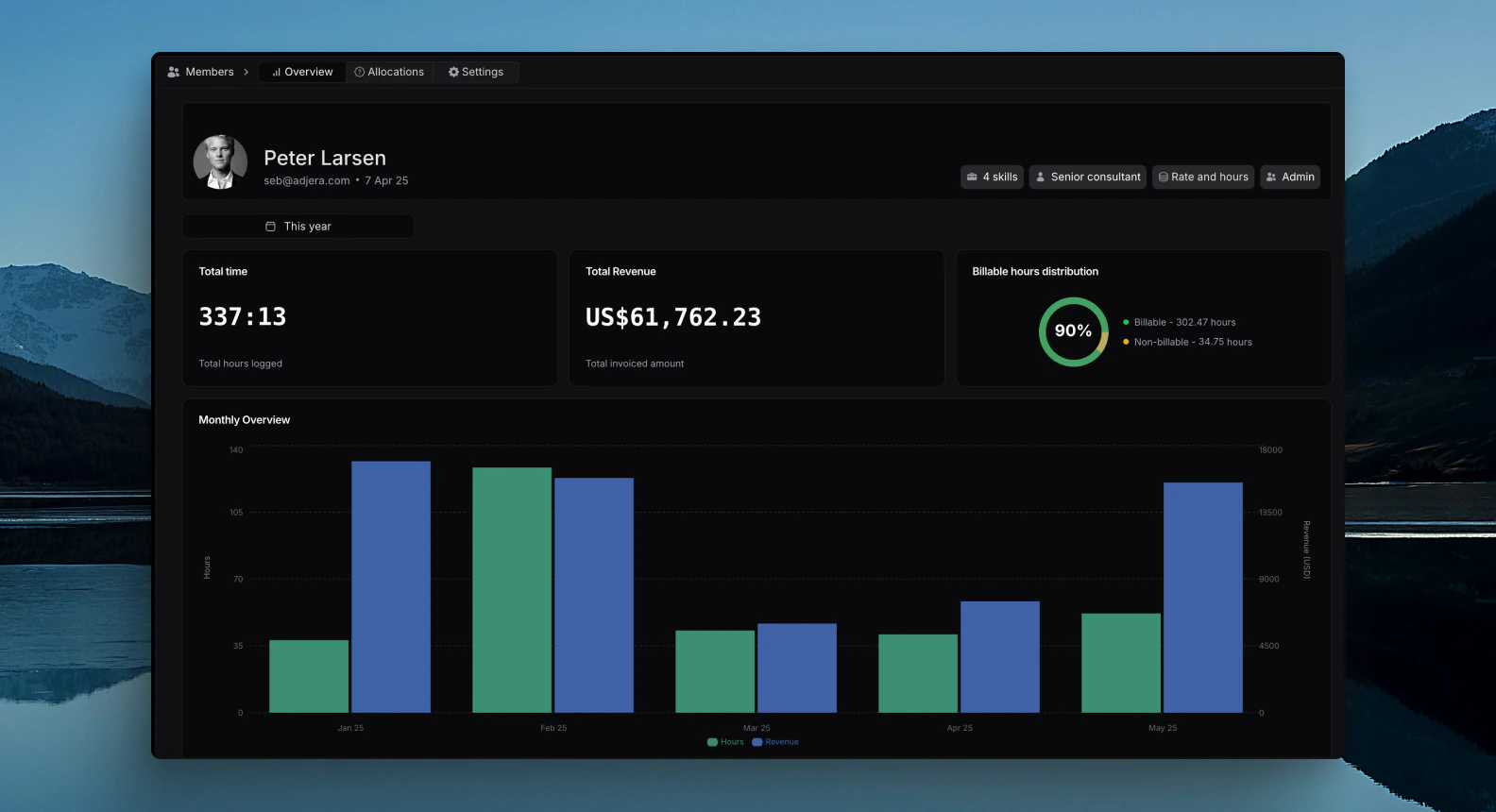
Member Overview
This release focuses on adding member related insights on each members profile.Admins and HR Manager can now view the following information on a member:- Total Hours registered in selected period
- Total Revenue generated in selected period (rate* registered hours on billable tasks)
- Billable hours distribution (how many hours are registered on billable versus non billable tasks), essentially that members efficiency.
November 10th, 2024
Currencies
This release focuses on adding workspace currencies to Pike in order to accommodate users across multiple countries.By default your workspace will have a base currency used in reporting. If other currencies are used across invoices or expenes, these will automatically be converted to the base salary when looking at project finances, customer finances and overall workspace finance reporting.To choose your default worksapce curency navigate to Finance -> Settings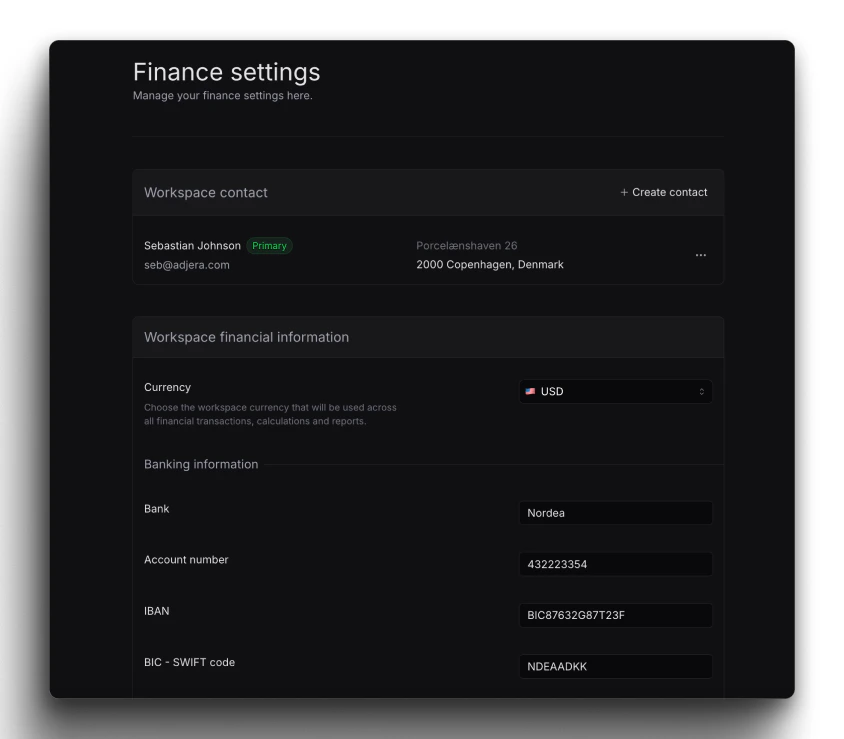
October 25, 2024
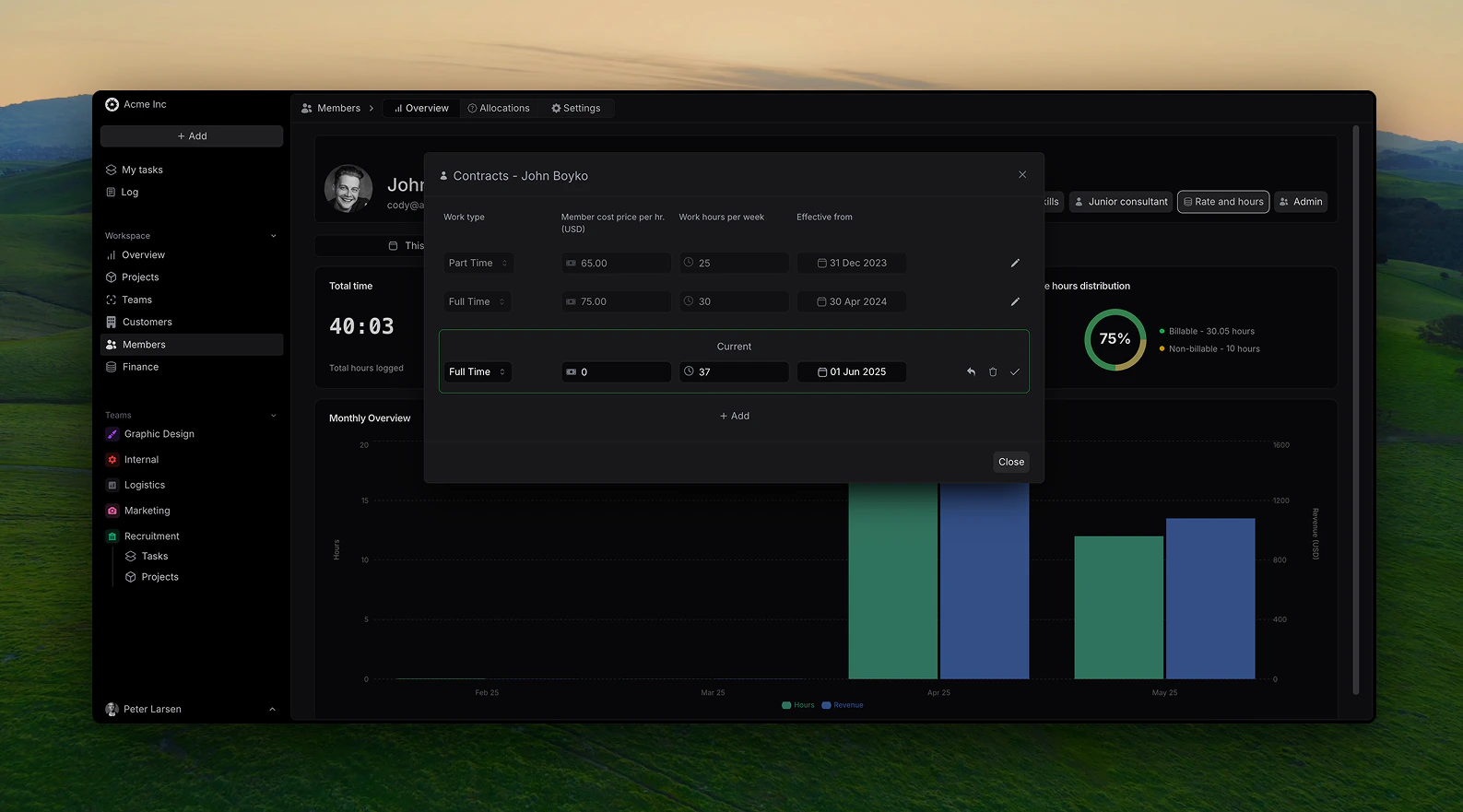
Member insights increase
This release focuses on adding member related information to use for tracking of project financials.Members can now have the following information:- Internal cost (salary), calculated per hour.
- Working type: Full time, part time or hourly
-
Efficitve from date, storing historicall data to back track project insights accurately.
August 5th, 2024
Pike V2 - Feature-Complete Beta
This release marked the transition to a feature-complete beta, incorporating core consutling and agency focused functionality needed for comprehensive professional services management.- Complete project management lifecycle
- Customer management
- Comprehensive time tracking and expense management
- Integrated inoice creation and financial reporting
- User roles
Expanded Beta Program
We opened the beta program to a broader range of professional services organizations to validate functionality across different industry segments and organizational sizes.If you’re interested in joining future beta programs, sign up here to be notified of opportunities.April 1st, 2024
Pike V1.5 - Enhanced Alpha Features
The alpha program continued to evolve based on early user feedback, with focus on core professional services automation capabilities.- Improved project setup and configuration workflows
- Enhanced time tracking with approval workflow
- Refined resource allocation and planning tools
- Basic finance overview for project earnings
Alpha User Feedback Integration
Our alpha partners provided crucial insights into the daily challenges of professional services management, directly influencing feature development priorities.March 1st, 2024
Pike V1 - Alpha
Pike’s initial alpha release established the foundational platform for professional services automation, focusing on core project management and time tracking capabilities. This version was released to it’s initial core users and included:- Basic project creation and management
- Time tracking
- Customer management
- Team workspace structure
- Basic task dashboards