
Overview
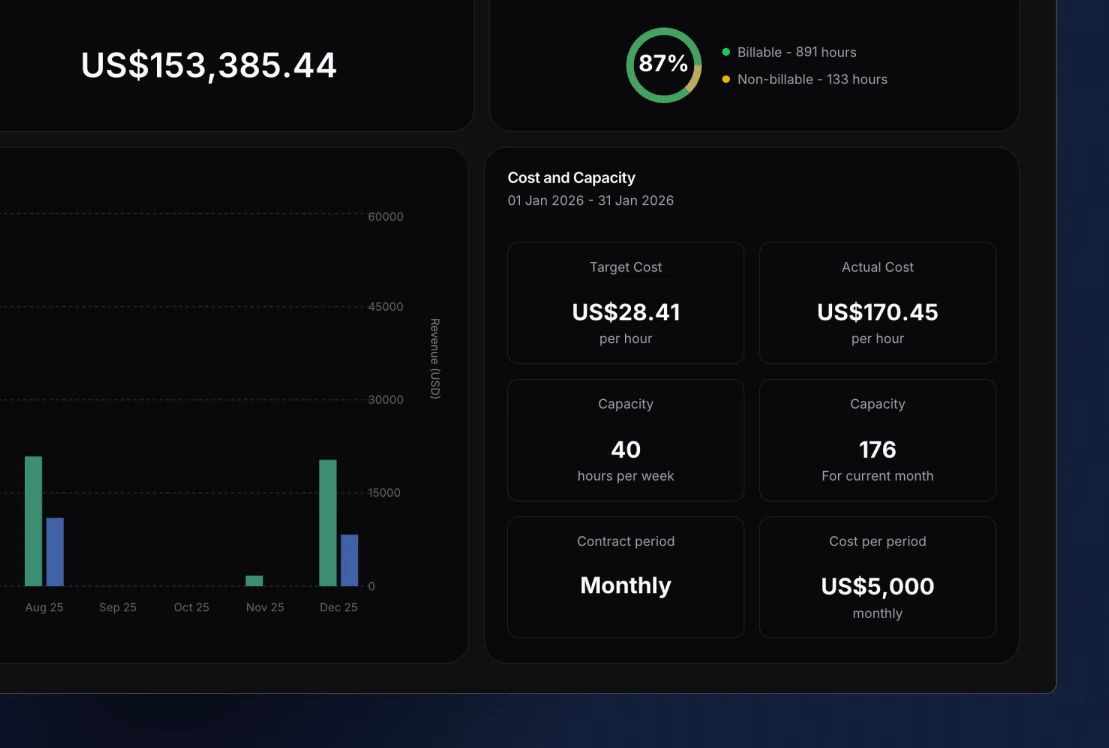
In the bottom right corner of a member’s profile, you find the Cost profile section. Here you can see the following metrics:- Hourly target cost (salary/capacity)
- Actual hourly cost (salary/logged hours)
- Capacity per week
- Capacity per contract period
- Contract period (hourly, weekly, bi-weekly, monthly and yearly)
- Cost per period (salary)
Contract setup
By pressing on the section, this is where you can input the following details for each member:- Contract period (hourly, weekly, bi-weekly, monthly and yearly)
- Cost per period (salary)
- Capacity per weekl
- Contract effective from date