
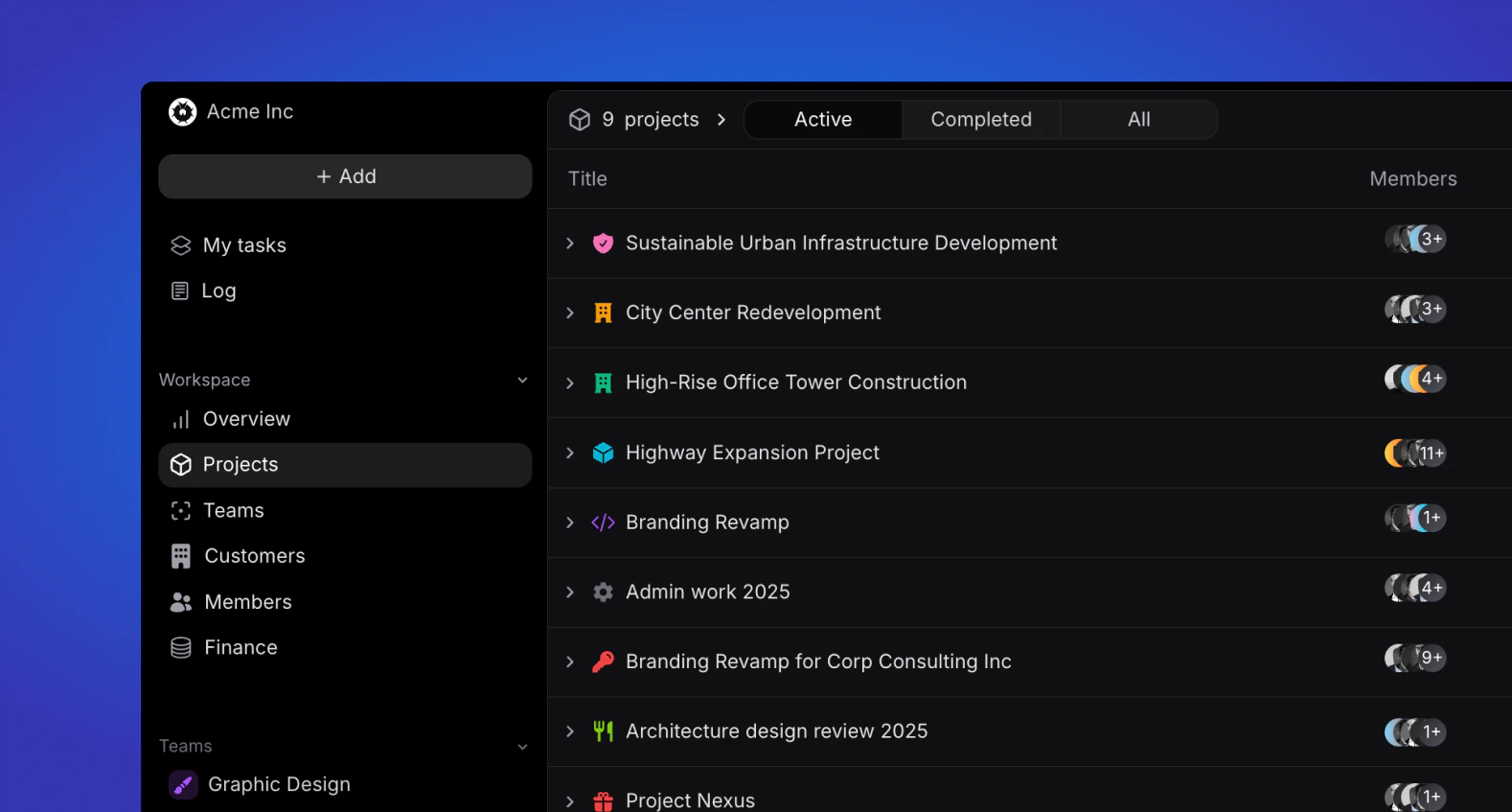
Overview
View all company projects, sorted by Active, Completed and All. Only admin and managers can view all workspace projects, while other roles can only view projects they are part off.Project information
Each project will show the following information at a glance:- Project icon
- Project name
- Project members icon
- Project team(s)
- Project status (planning, active, on hold, completed or cancelled)
- Project due date
- Phase icon and colour (will be reflected in the timeline)
- Phase name
- Phase start and due date
Search
In the top right of the project overview, users can search for projects based on their names.Display
The display button allows you to sort your project list and change between views.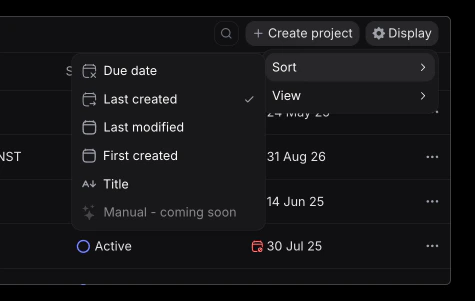
Sorting
Sort the order of your projects by:- Due date
- Last created
- Last modified
- First created
- Alphabetical order (title)
Views
Change between list and timeline view. The list view is th default one, showing projects and phases as described above. The timeline view, showcases each project on a timeline, with it’s associated phases below.Projects
Learn more about projects and their structure.