Overview
Tasks are always linked to a single team. They are only required to have a title and a status — all other properties and relations are optional. All user roles, except Guest can create tasks.Creating a task
There are multiple ways to create a new task in Pike.- From the + Add button at the top of your sidebar
- From the + located at the top of each group of tasks in the Task Board or List view.
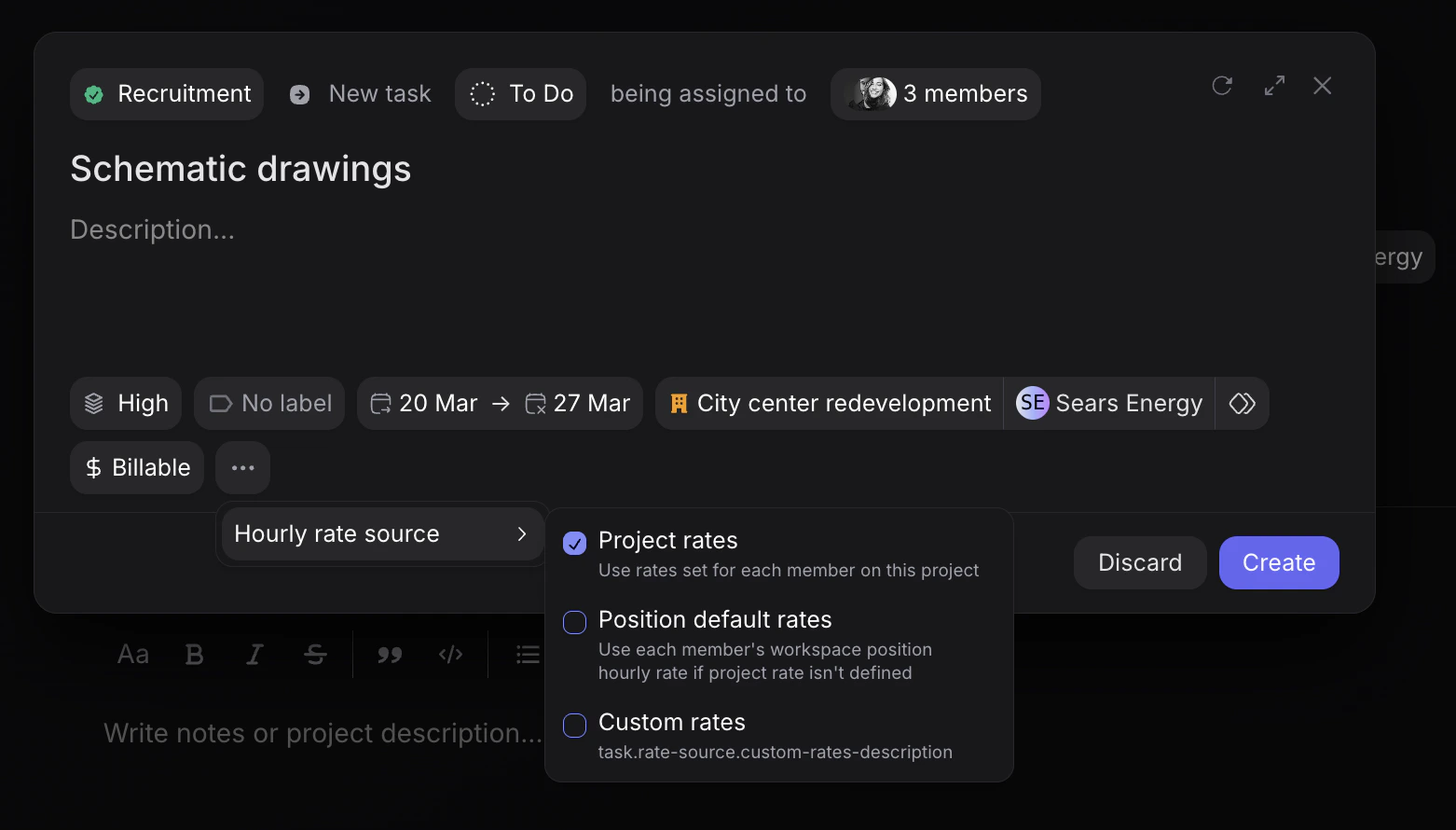
Member rate source
When toggling the three dots ”…”, you can choose between the following three member rate sources for the task: note:(this also applies for role description)- Project rate - If the task is assigned to a project, the assigned member(s) of the task that have a set rate and role description for that project, will inherent it on the task.
- Position default rate - If the assigned member(s) do not have a project default rate, the task rate and role description will inherent the member’s position’s rate instead (as setup in each member’s profile). Note: If the task is created and not associated to any project, the task rate and role of each member will by default apply this inheritance rule.
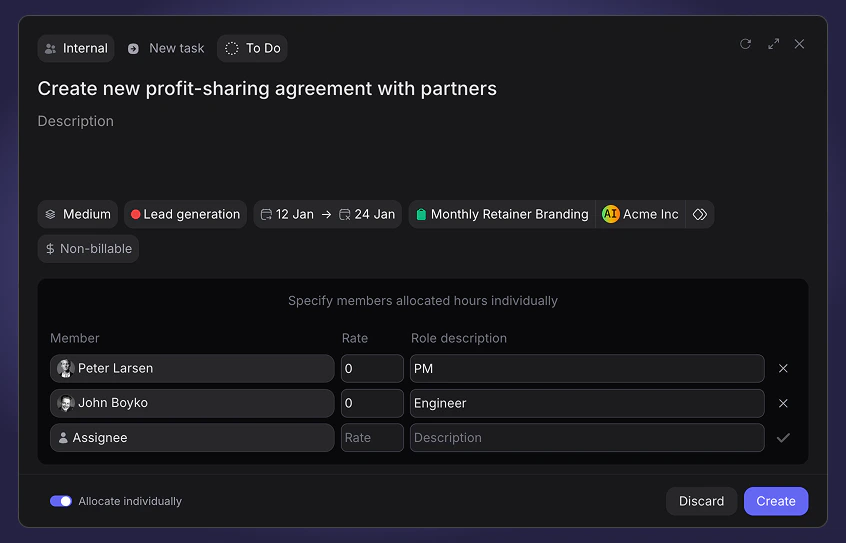
- Custom rate - Third option is to set a custom rate and role for each assigned member for the specific task in question. In this case, a window below the task information appears where you can assign members and choose their set specific rate and role description for the task.